How to Enable Vairo App Embed
Some Vairo features depend on App Embed to function correctly.
If App Embed hasn't been enabled, you'll see an App embed is required message with an Activate app embed button before using those features.
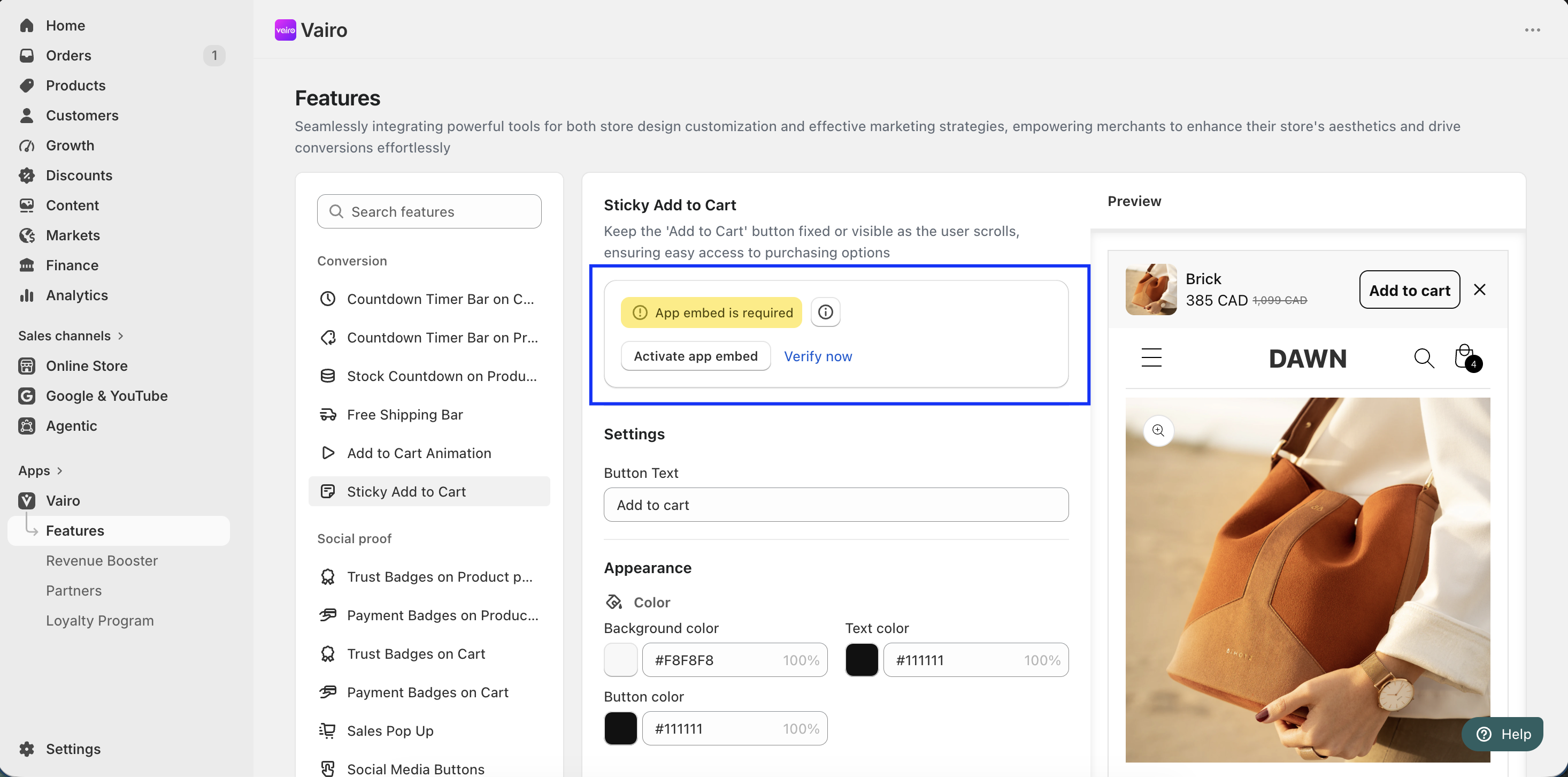
Features that require App Embed
The following features require App Embed to be enabled: Sales Pop Up, Product Tabs & Accordions, Scroll to Top Button, Scrolling Text Banner, Product Labels & Badges, Sticky Add to Cart, Trust Badges on Cart, Add to Cart Animation, Content Protection, Best Sellers Protection, Inactive Tab, Favicon Cart Count, Auto External Links, and Social Media Buttons.
When do you need to enable App Embed?
From your Shopify admin, go to Apps > Vairo > Features and open the feature you want to use.
If you see the App embed is required message, it means that feature requires App Embed before it can work properly.
Click Activate app embed to open the Shopify Theme Editor.
How to enable App Embed
Step 1: Enable the Vairo App Embed
In the Shopify Theme Editor, turn on the Vairo App Embed.
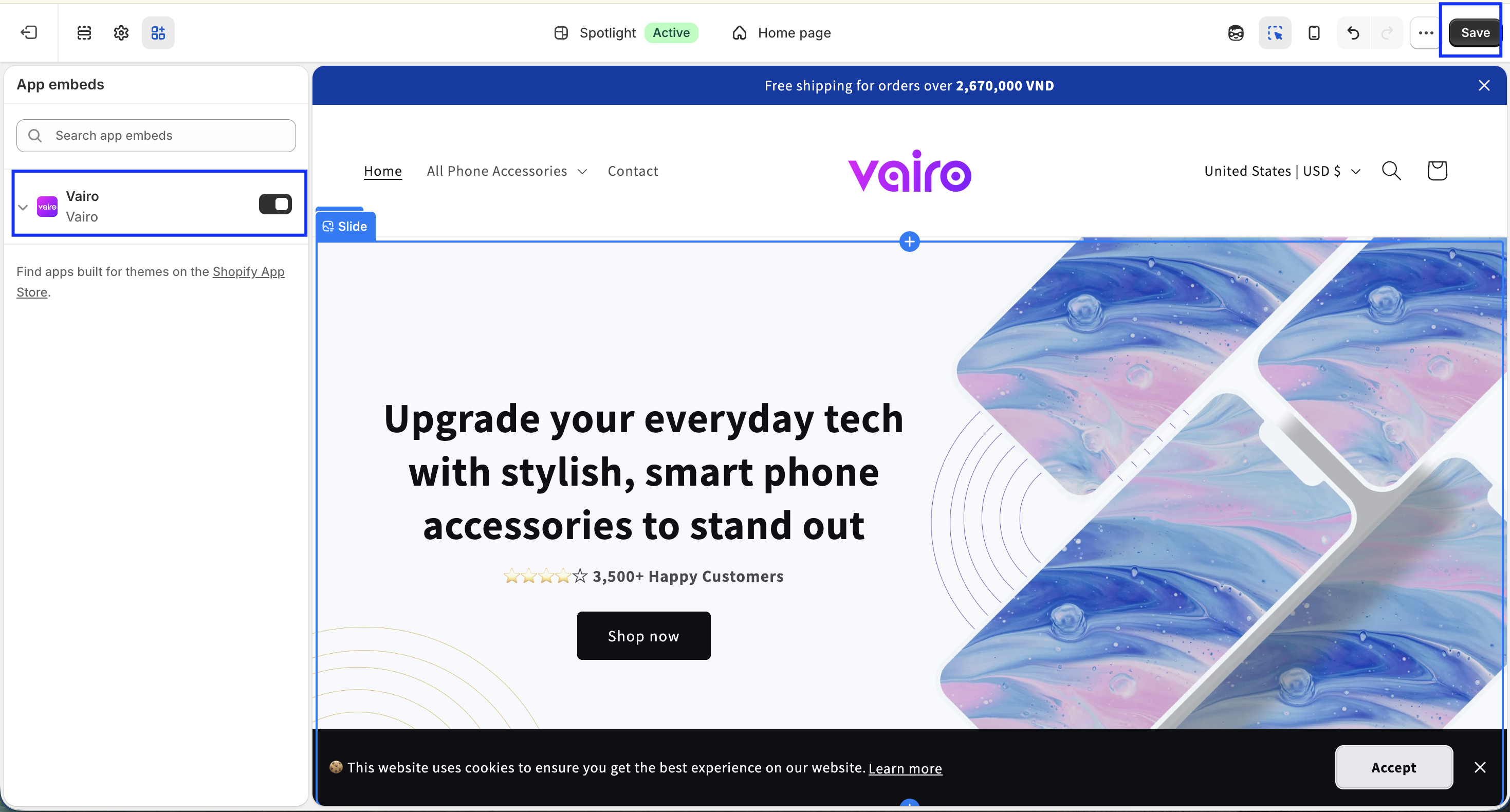
Step 2: Save your changes
Click Save to apply the changes.
Step 3: Verify the activation
Return to the Vairo feature page.
If App Embed has been enabled successfully, the App embed is required message will no longer appear, and the feature will be ready to use.
If you need further assistance, feel free to contact our support team at [email protected].