How to Set Up Add to Cart Animation in Vairo
The Add to Cart Animation feature makes your storefront more engaging by displaying an animation when customers interact with the Add to Cart button. This creates a more dynamic shopping experience and helps draw attention to purchase actions.
How to Set It Up
Step 1: Enable Vairo App Embed
- Make sure the Vairo App Embed is enabled before setting up Add to Cart Animation.
- If you haven't enabled it yet, follow this guide: How to Enable Vairo App Embed.
Step 2: Activate Add to Cart Animation
- Open Vairo in your Shopify Admin.
- Navigate to Conversion > Add to Cart Animation.
- Click Activate feature and Save.
- Choose the animation you want to apply to the Add to Cart button.
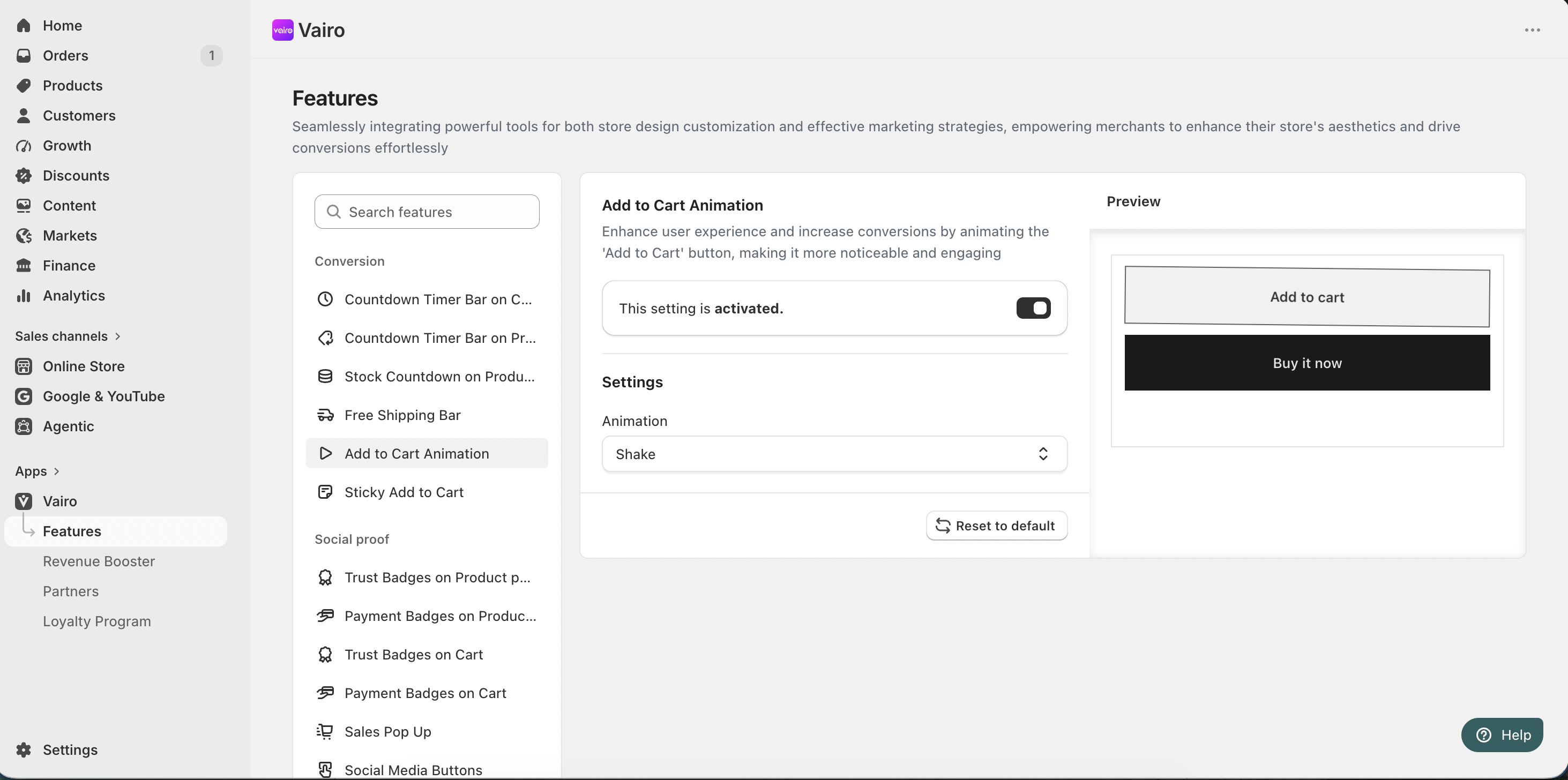
Once activated, the selected animation will automatically play when customers interact with the Add to Cart button on your storefront.
Need help?
If you need further assistance, feel free to contact our support team at [email protected].