How to Set Up Auto External Links in Vairo
The Auto External Links feature automatically opens external links in a new browser tab. This helps keep customers on your store while they explore external websites, reducing bounce rates and improving the overall shopping experience.
How to Set It Up
Step 1: Enable Vairo App Embed
- Make sure the Vairo App Embed is enabled before setting up Auto External Links.
- If you haven't enabled it yet, follow this guide: How to Enable Vairo App Embed.
Step 2: Activate Auto External Links
- Open Vairo in your Shopify Admin.
- Navigate to Page enhancements > Auto External Links.
- Click Activate feature and Save.
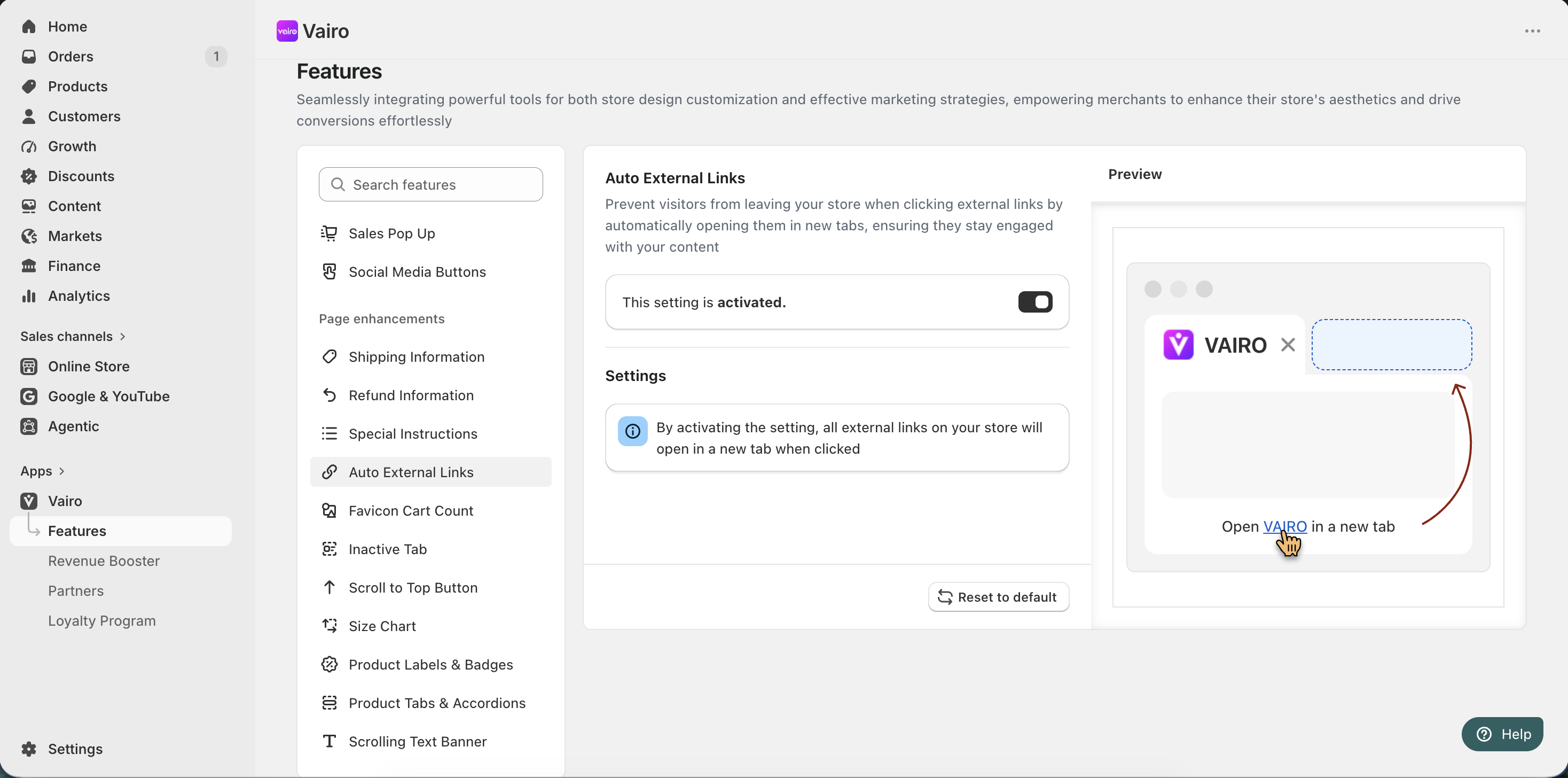
What Happens After Activation?
Once enabled, all external links on your storefront will automatically open in a new browser tab, allowing customers to visit external websites without leaving your store.
Need help?
If you need further assistance, feel free to contact our support team at [email protected].