How to Set Up GDPR Cookie Banner in Vairo
The GDPR Cookie Banner helps inform visitors that your store uses cookies and allows them to manage their cookie preferences. It also helps your store comply with privacy regulations such as GDPR, CCPA, LGPD, PIPEDA, APPI, and other applicable privacy laws.
How the GDPR Cookie Banner Appears on Your Storefront
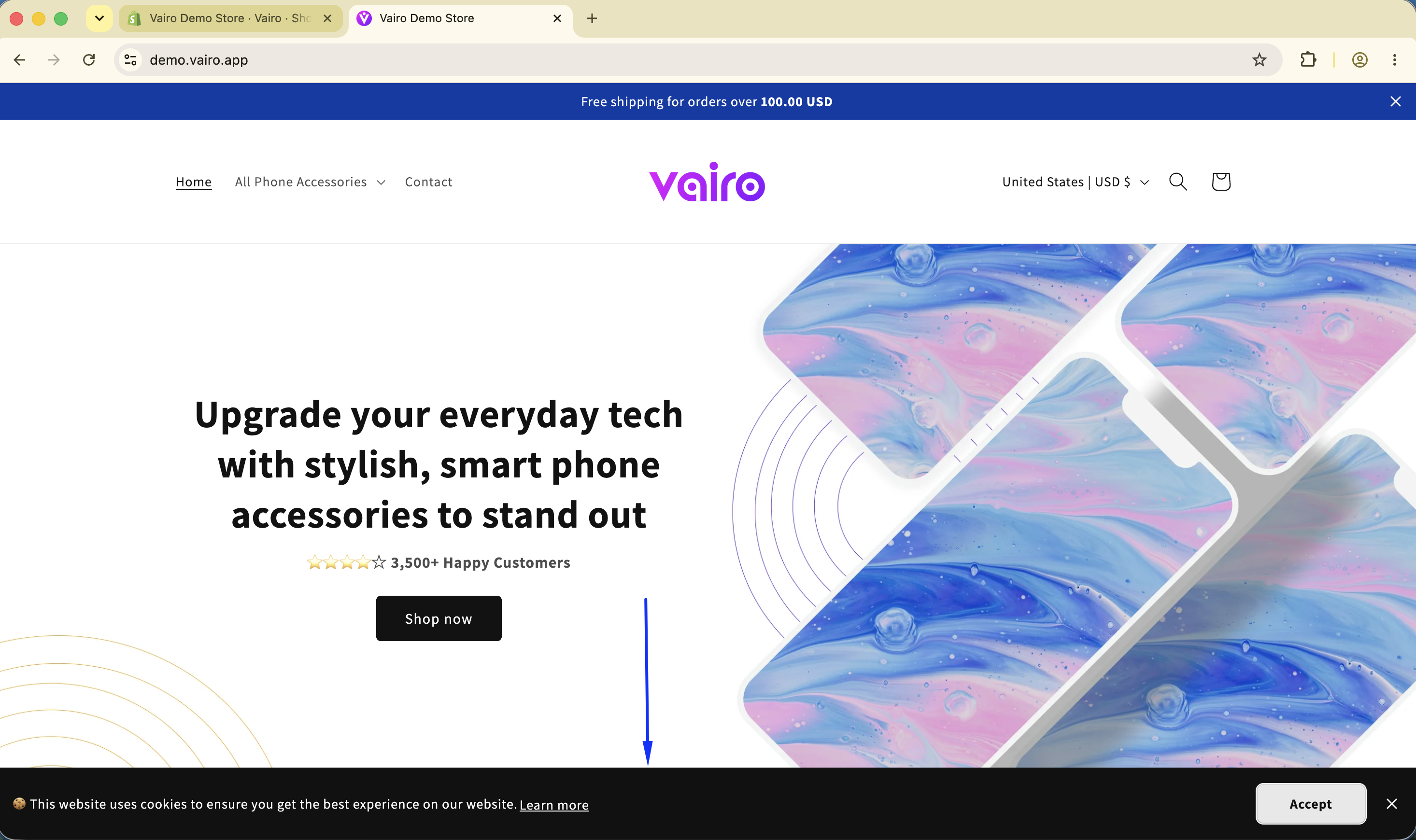
How to Set It Up
Step 1: Enable Vairo App Embed
- Make sure the Vairo App Embed is enabled before setting up the GDPR Cookie Banner.
- If you haven't enabled it yet, follow this guide: How to Enable Vairo App Embed.
Step 2: Activate the GDPR Cookie Banner
- Open Vairo in your Shopify Admin.
- Navigate to Legal > GDPR Cookie Banner.
- Click Activate feature and Save.
Step 3: Configure the GDPR Cookie Banner Settings
In the Settings section, you can customize the content and behavior of the cookie banner.
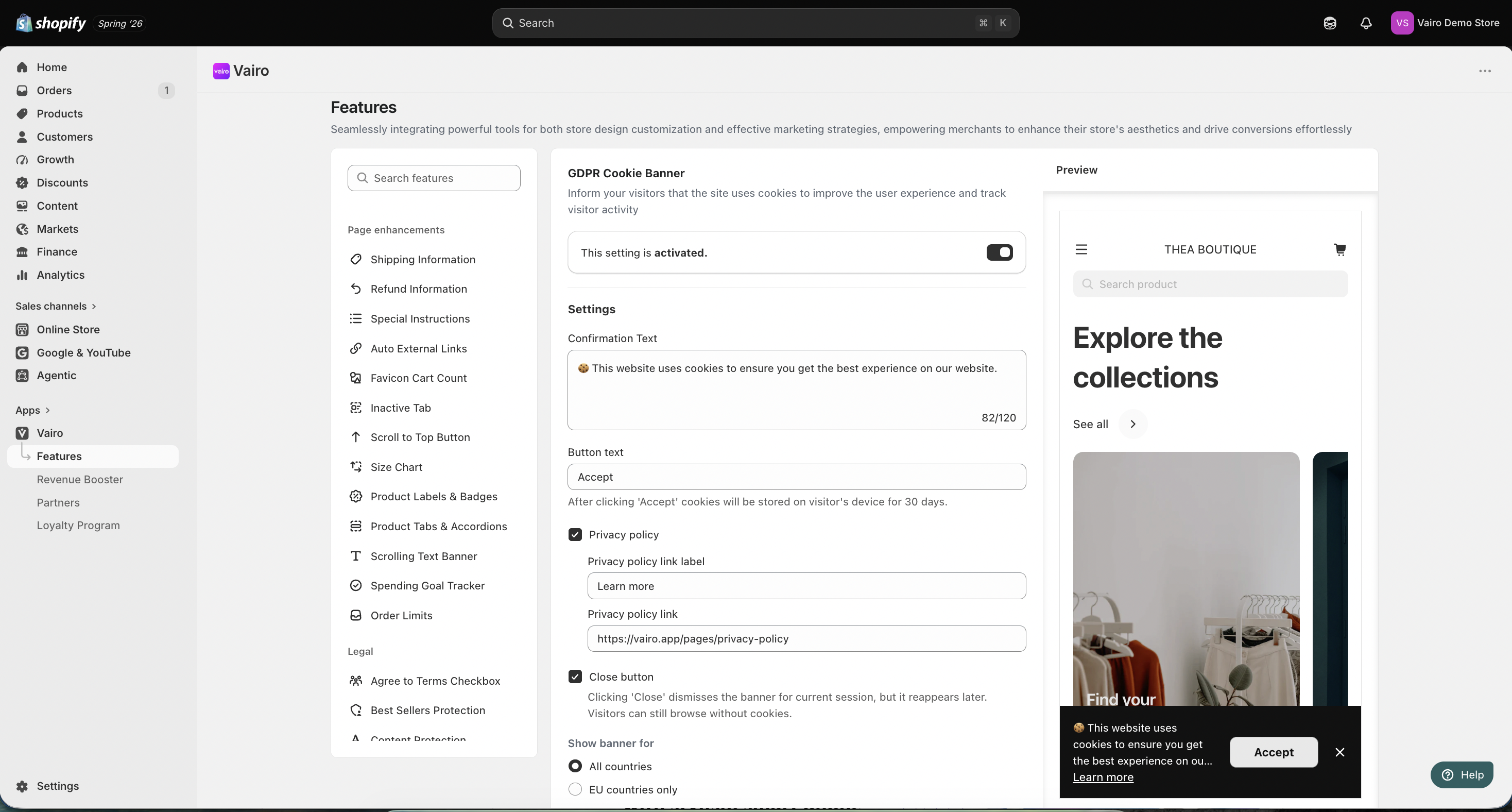
Confirmation Text
Enter the message displayed on the cookie banner.
Button Text
Customize the text displayed on the consent button (for example, Accept).
After a visitor clicks Accept, cookies will be stored on their device for 30 days.
Privacy Policy
Optionally, enable the Privacy policy option and configure:
- Privacy policy link label
- Privacy policy link
Close Button
Enable the Close button if you want visitors to be able to dismiss the banner without accepting cookies.
Clicking Close dismisses the banner for the current session, but it may appear again later. Visitors can continue browsing without cookies.
Show Banner For
Choose where the cookie banner is displayed:
- All countries
- EU countries only
After completing the setup, visit your storefront to make sure the GDPR Cookie Banner displays correctly.
Step 4: Customize the GDPR Cookie Banner Appearance
In the Appearance section, you can customize the colors of the cookie banner to match your store's branding.
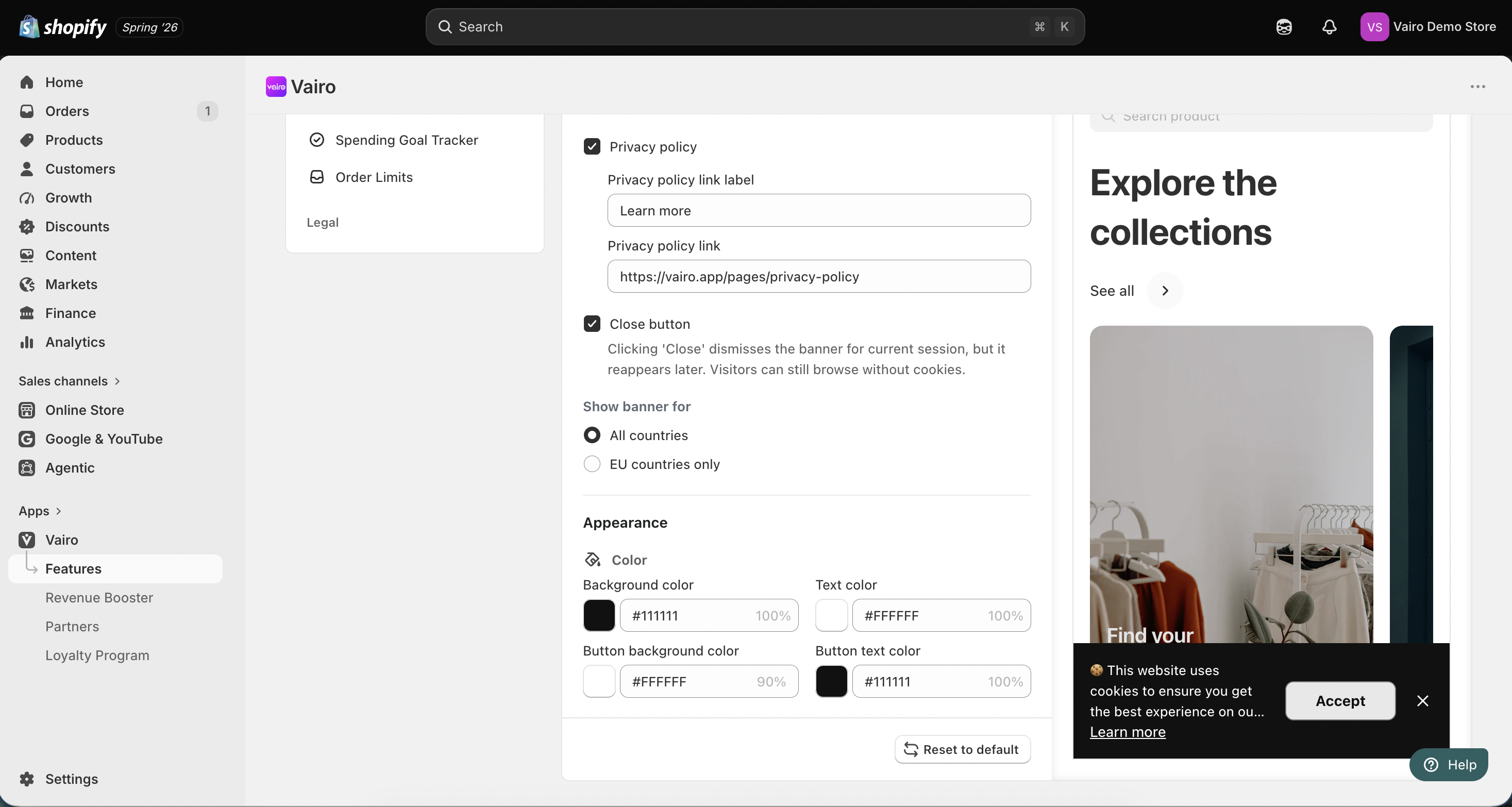
You can customize:
- Background color
- Text color
- Button background color
- Button text color
After completing the setup, visit your storefront to make sure the GDPR Cookie Banner displays correctly.
Need help?
If you need further assistance, feel free to contact our support team at [email protected].