How to Set Up Order Limits in Vairo
The Order Limits feature helps you control purchases by setting minimum or maximum limits for order quantity, value, or weight. This helps prevent overselling and manage unusually large orders before customers proceed to checkout.
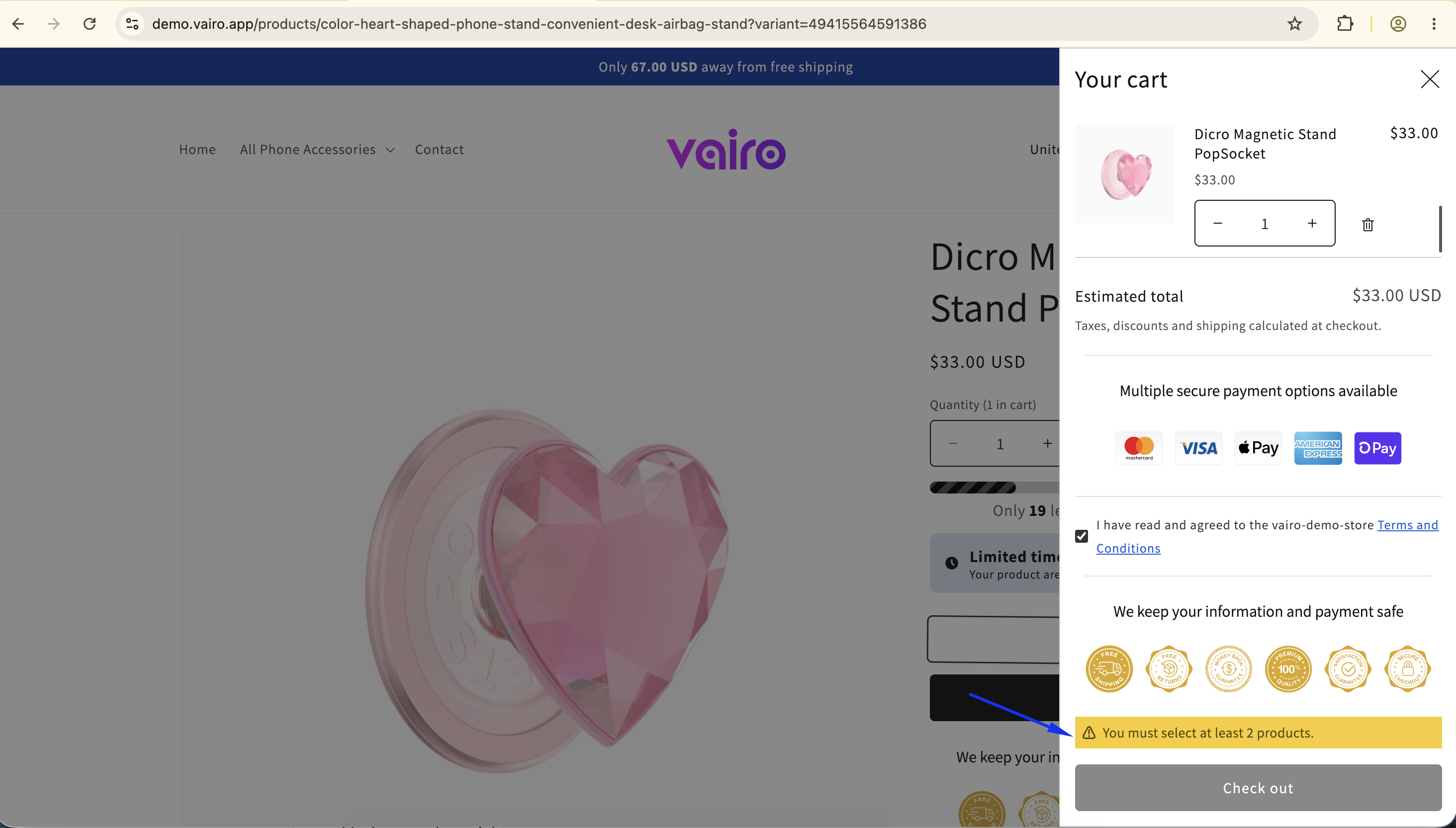
How Order Limits Appear on Your Storefront
How to Set It Up
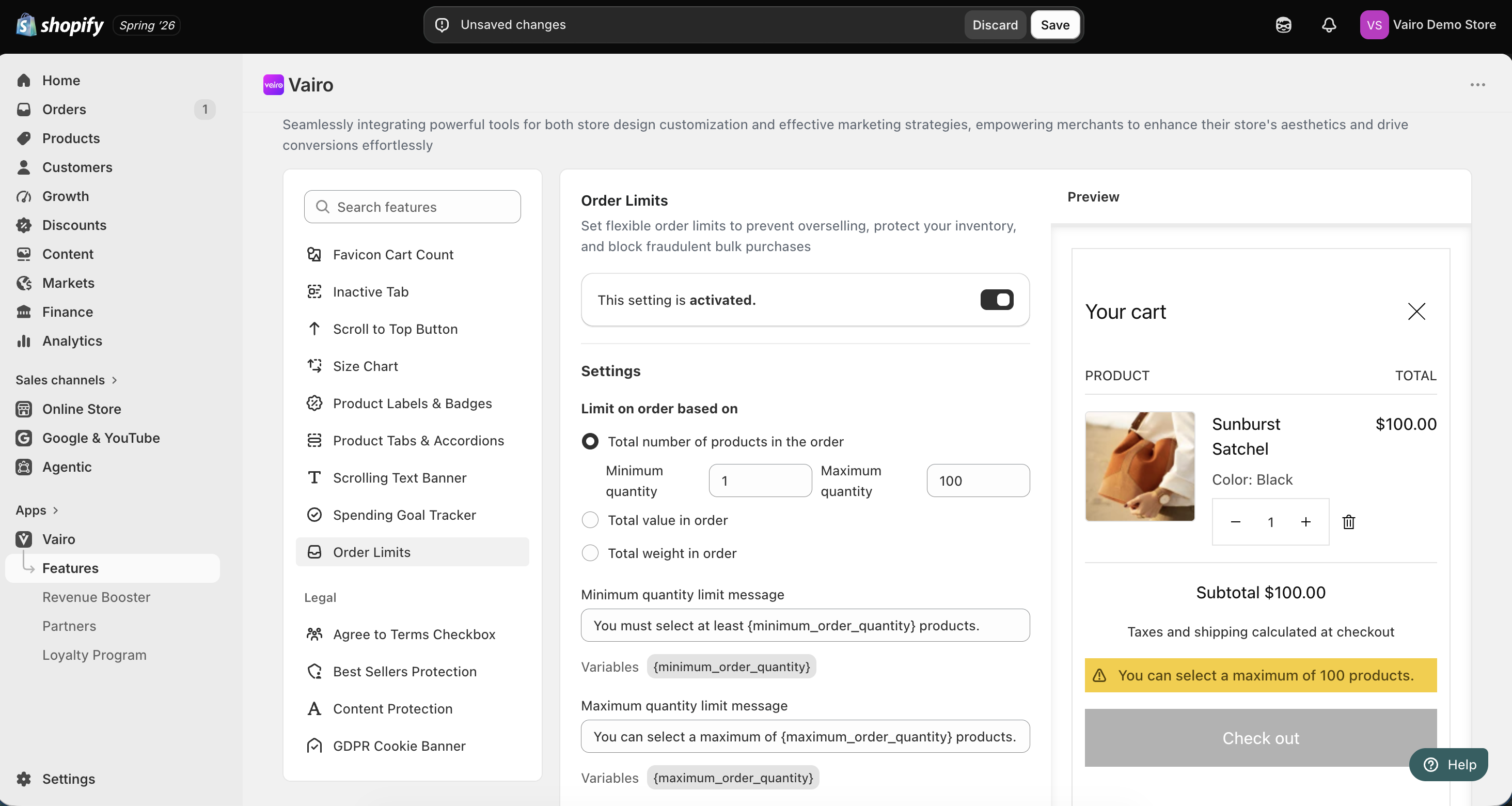
Step 1: Activate the Order Limits Feature
- Open Vairo in your Shopify Admin.
- Navigate to Page enhancements > Order Limits.
- Enable Activate feature.
- Click Save.
Step 2: Configure Order Limits
In the Settings section, choose one type of order limit.
Total number of products in the order
Configure:
- Minimum quantity
- Maximum quantity
- Minimum quantity limit message
- Maximum quantity limit message
You can use the available variables in your messages.
Total value in order
Configure:
- Minimum order value
- Maximum order value
- Minimum order value message
- Maximum order value message
You can use the available variables in your messages.
Total weight in order
Configure:
- Minimum order weight
- Maximum order weight
- Weight unit:
- kg
- g
- lb
- oz
- Minimum order weight message
- Maximum order weight message
You can use the available variables in your messages.
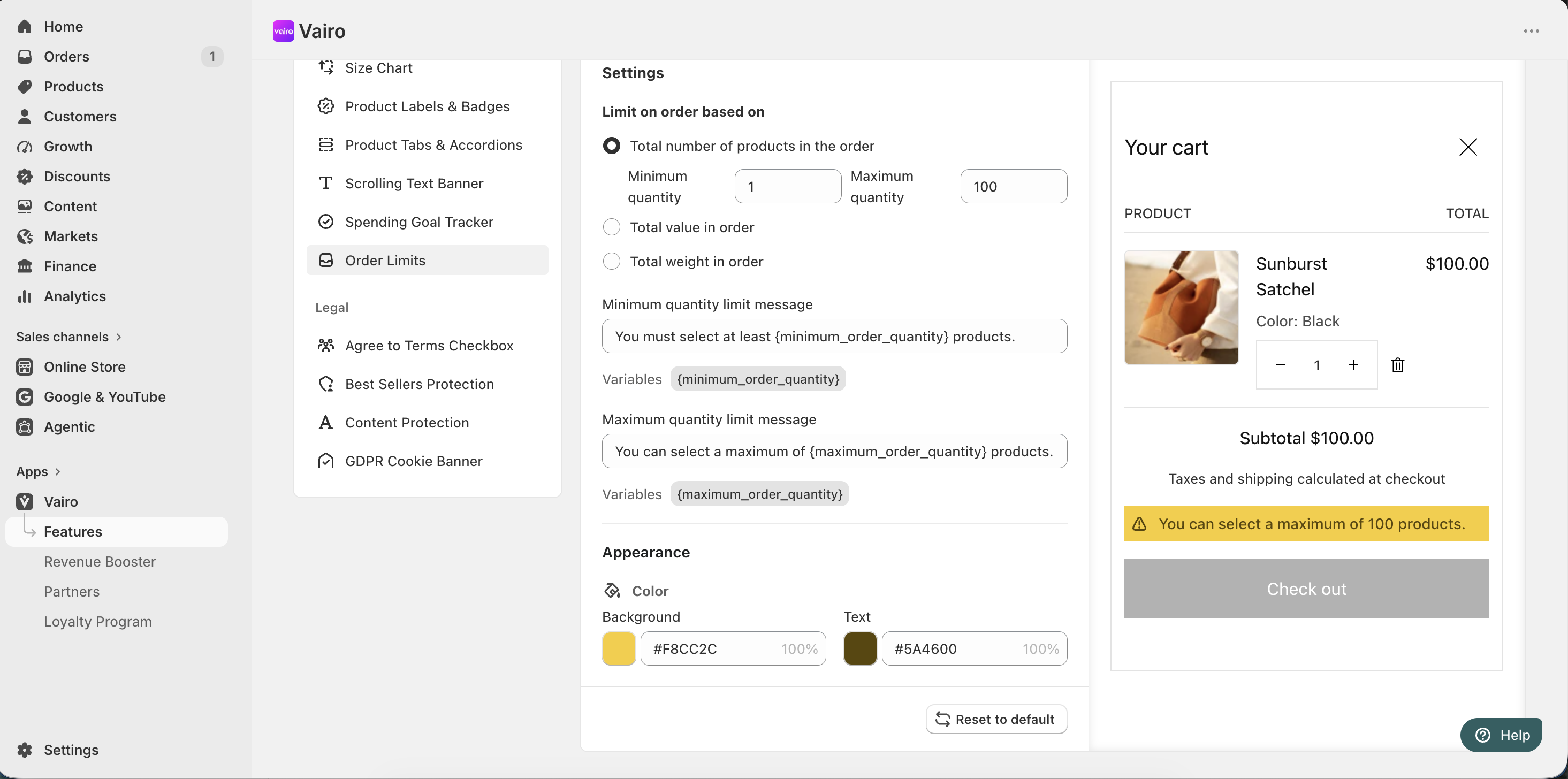
Step 3: Customize the Order Limits Appearance
In the Appearance section, you can customize:
- Background color
- Text color
After completing the setup, visit your storefront to make sure the Order Limits message displays correctly when the configured limits are reached.
Need help?
If you need further assistance, feel free to contact our support team at [email protected].