How to Set Up Refund Information in Vairo
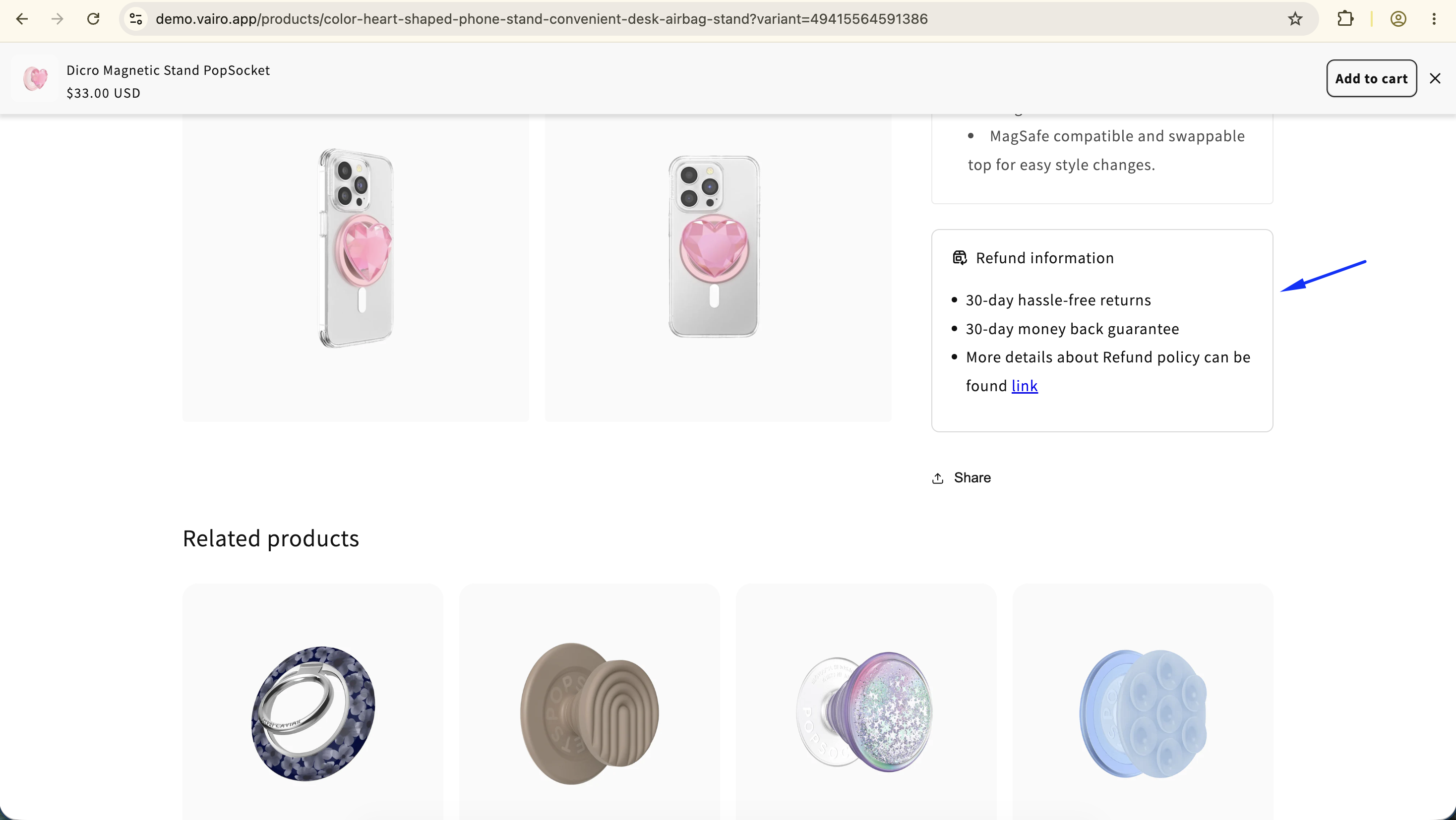
The Refund Information feature lets you display your store's return and refund policy directly on the product page. Clearly communicating your refund policy helps build customer trust, reduce purchase hesitation, and improve the shopping experience.
How the Refund Information Appears on Your Storefront
How to Set It Up
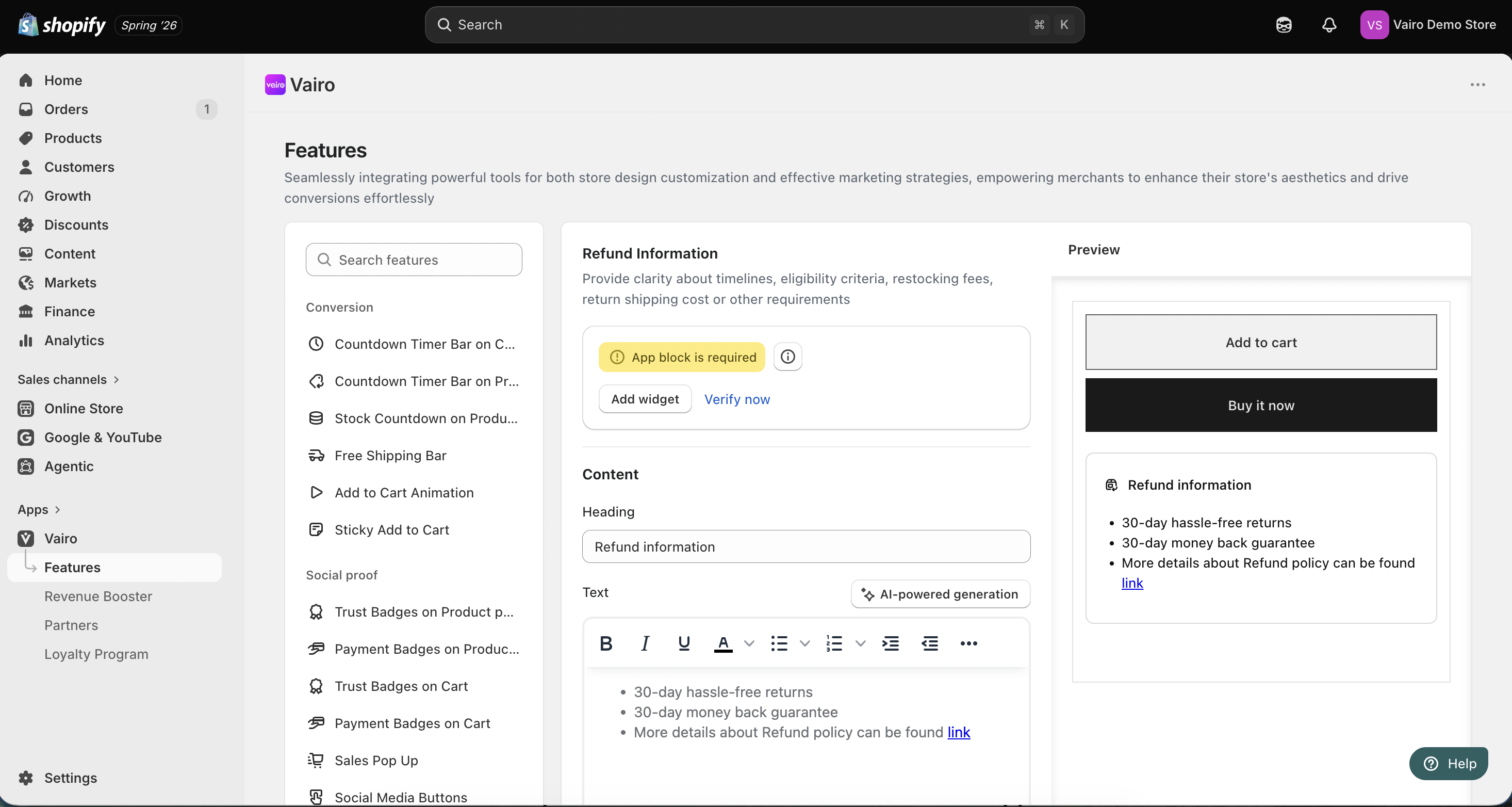
Step 1: Add the Refund Information Widget
- Open Vairo in your Shopify Admin.
- Navigate to Page Enhancements > Refund Information.
- Click Add Widget.
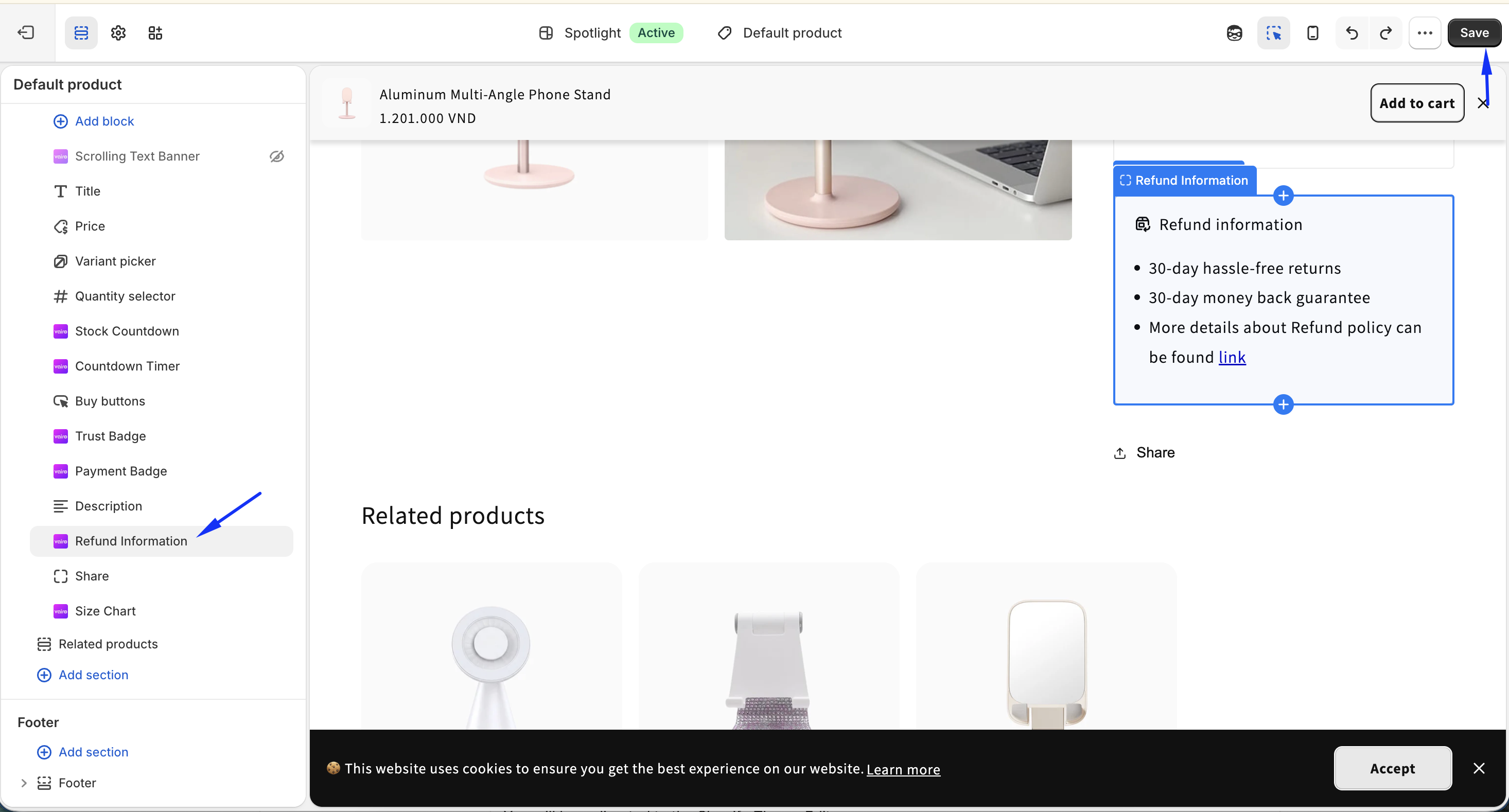
You will be redirected to the Shopify Theme Editor.
- Drag and place the Refund Information app block in your preferred position.
- Click Save.
- Return to the app and click Verify Now to confirm the app block was added successfully.
- After verification, activate the feature to display the Refund Information on your storefront.
Step 2: Configure the Refund Information
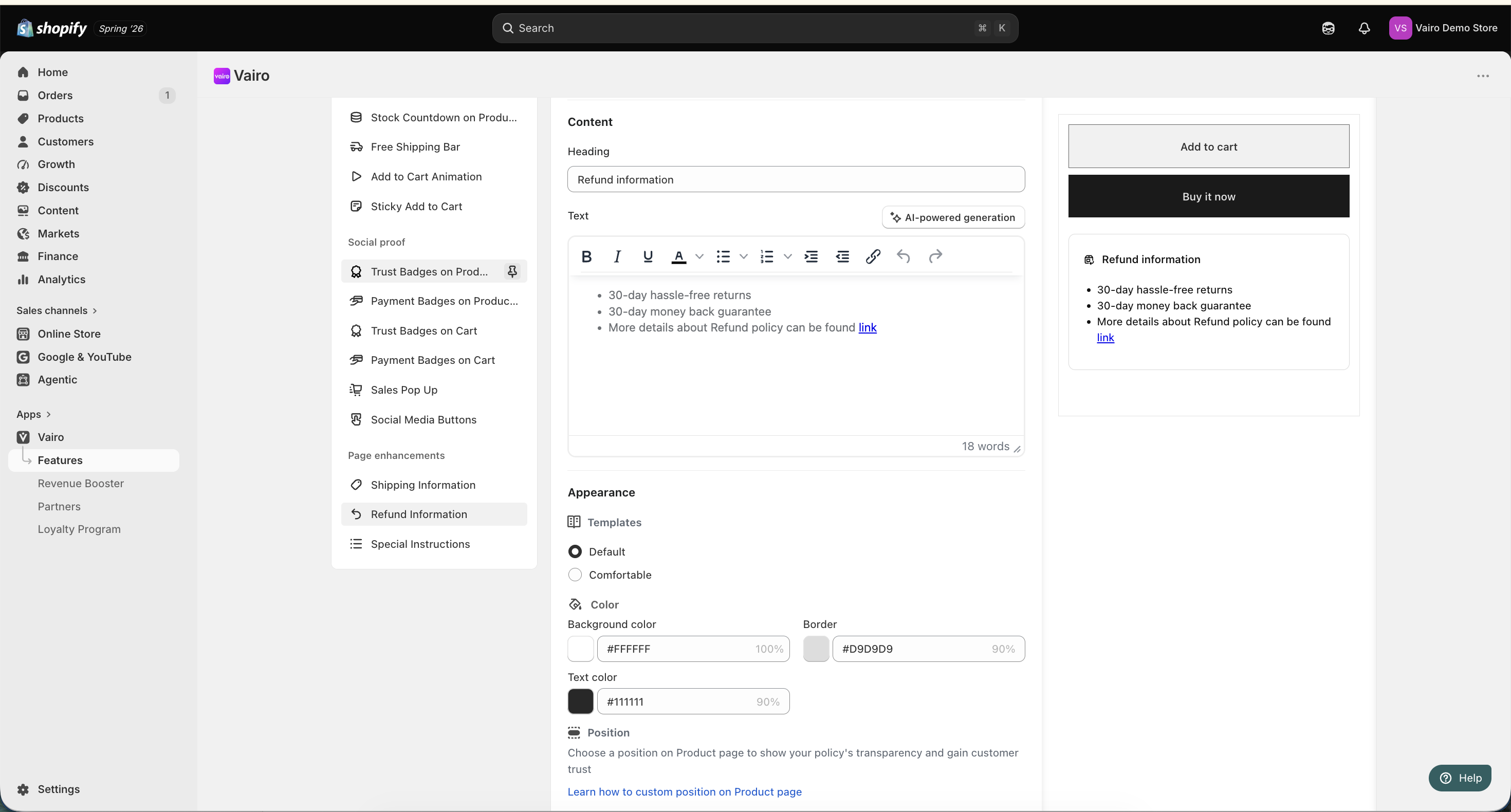
Customize the content displayed with the Refund Information:
- Enter the heading.
- Enter the refund policy text.
Step 3: Customize the Refund Information Appearance
In the Appearance section, you can:
- Select a template.
- Customize the colors to match your store's branding.
After completing the setup, visit your storefront to make sure the Refund Information displays correctly.
Need help?
If you need further assistance, feel free to contact our support team at [email protected].