How to Set Up Social Media Buttons in Vairo
Social Media Buttons make it easy for visitors to connect with your brand across social platforms. By adding quick links to your social media profiles, you can increase engagement, grow your community, and improve your brand's online presence.
How Social Media Buttons Appear on Your Storefront
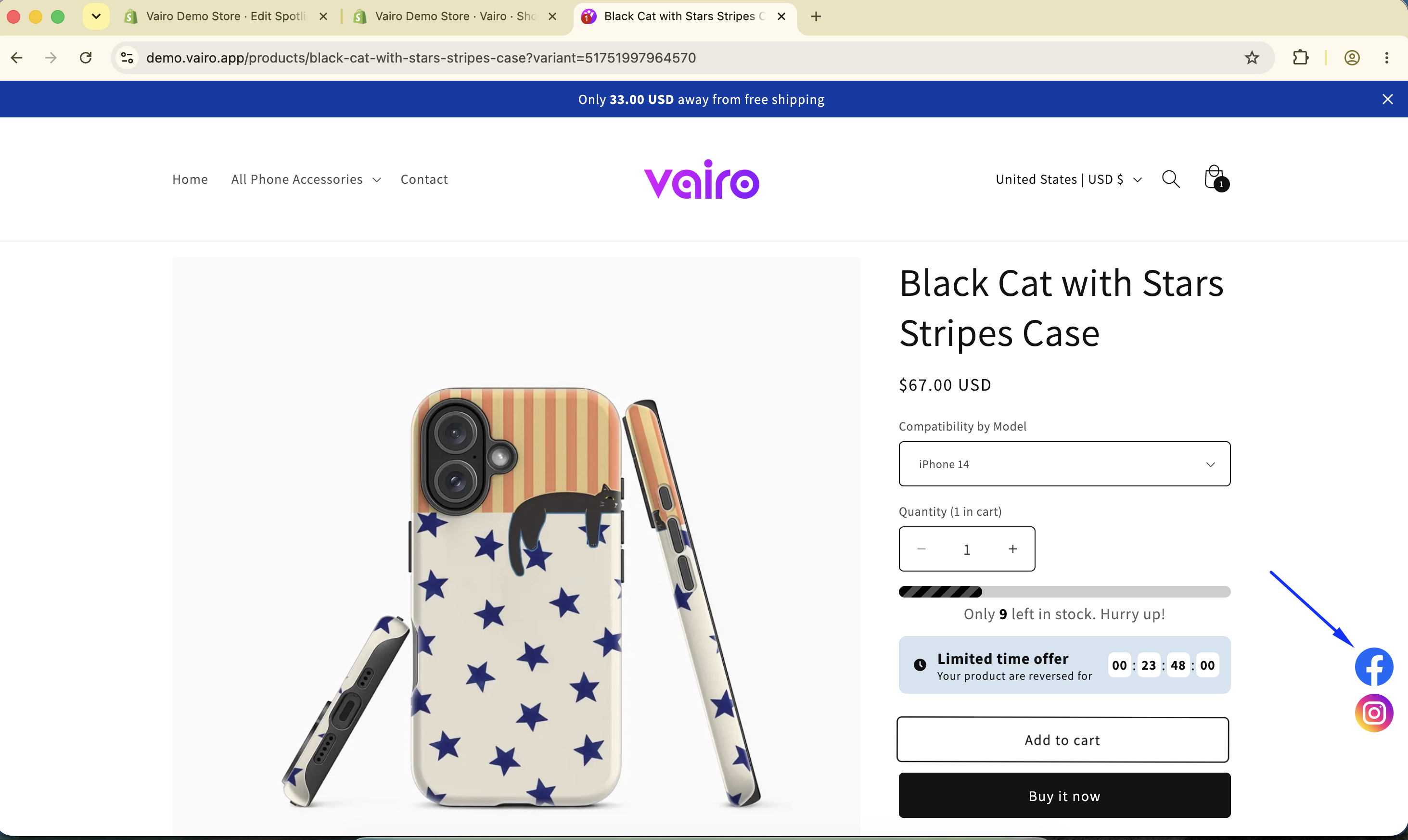
How to Set It Up
Step 1: Enable Vairo App Embed
- Make sure the Vairo App Embed is enabled before setting up Social Media Buttons.
- If you haven't enabled it yet, follow this guide: How to Enable Vairo App Embed.
Step 2: Activate Social Media Buttons
- Open Vairo in your Shopify Admin.
- Navigate to Social proof > Social Media Buttons.
- Click Activate feature and Save.
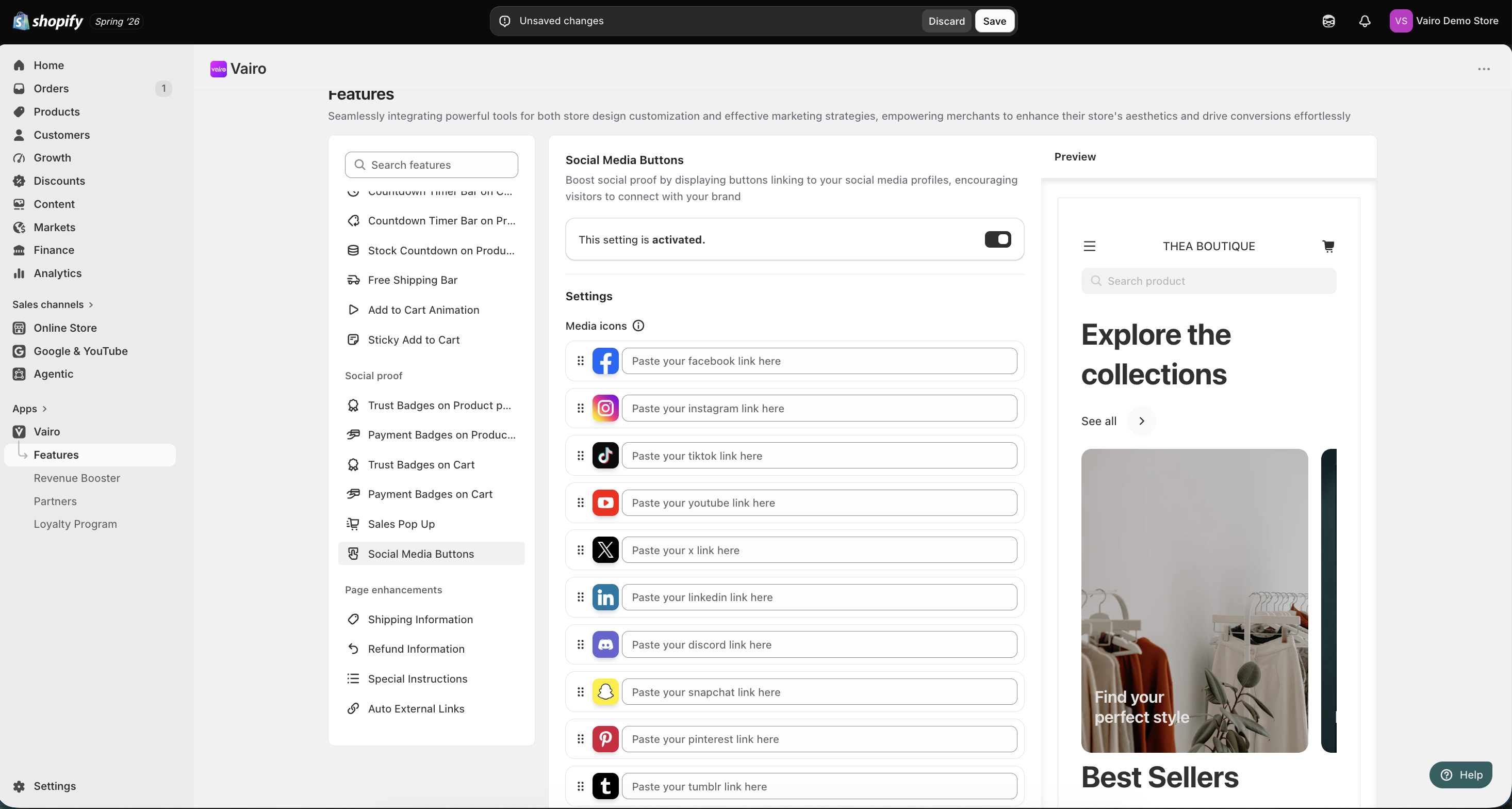
Step 3: Configure the Social Media Buttons
Settings
Enter the URLs for your social media profiles, such as:
- X (Twitter)
- TikTok
Appearance
In the Appearance section, you can:
- Choose the button style:
- Circle
- Square
- Select the display position for both desktop and mobile devices.
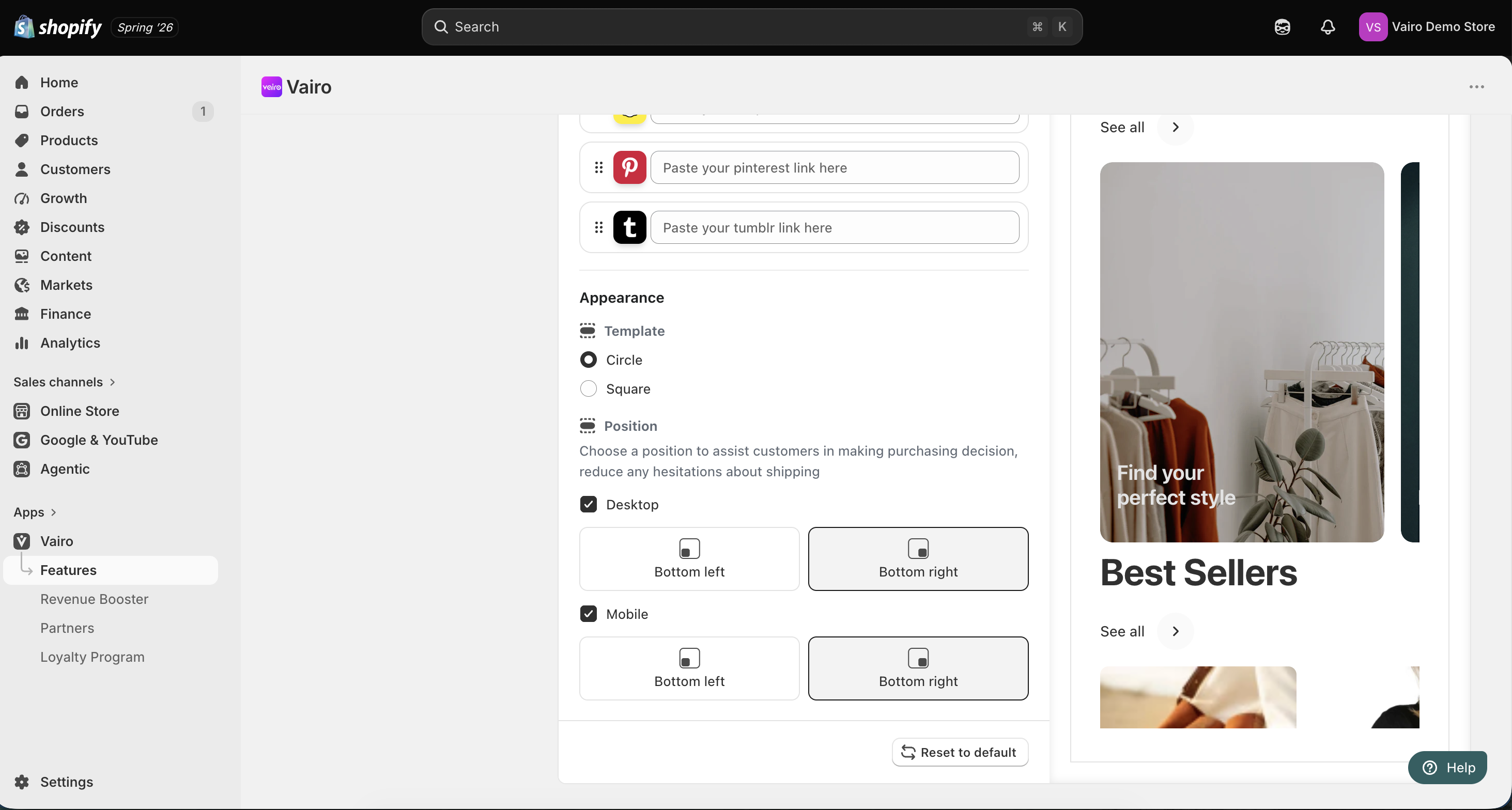
After completing the setup, visit your storefront to make sure the Social Media Buttons display correctly.
Need help?
If you need further assistance, feel free to contact our support team at [email protected].