How to Set Up Sticky Add to Cart in Vairo
The Sticky Add to Cart feature keeps the purchase button visible as customers scroll through a product page, making it easier for them to add products to their cart at any time. This helps improve the shopping experience and can increase conversions.
How Sticky Add to Cart Appears on Your Storefront
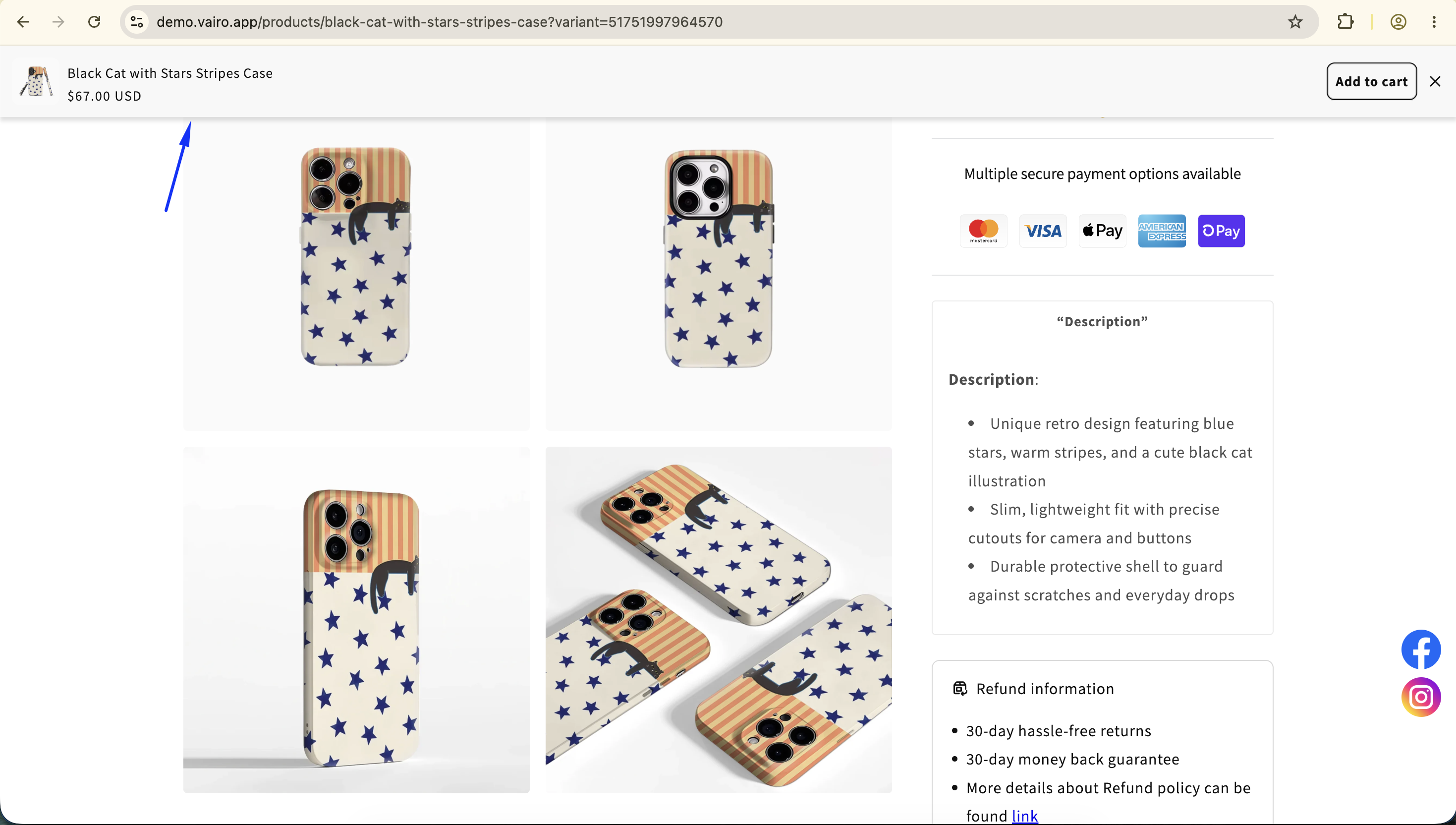
How to Set It Up
Step 1: Enable Vairo App Embed
- Make sure the Vairo App Embed is enabled before setting up Sticky Add to Cart.
- If you haven't enabled it yet, follow this guide: How to Enable Vairo App Embed.
Step 2: Activate Sticky Add to Cart
- Open Vairo in your Shopify Admin.
- Navigate to Conversion > Sticky Add to Cart.
- Click Activate feature and Save.
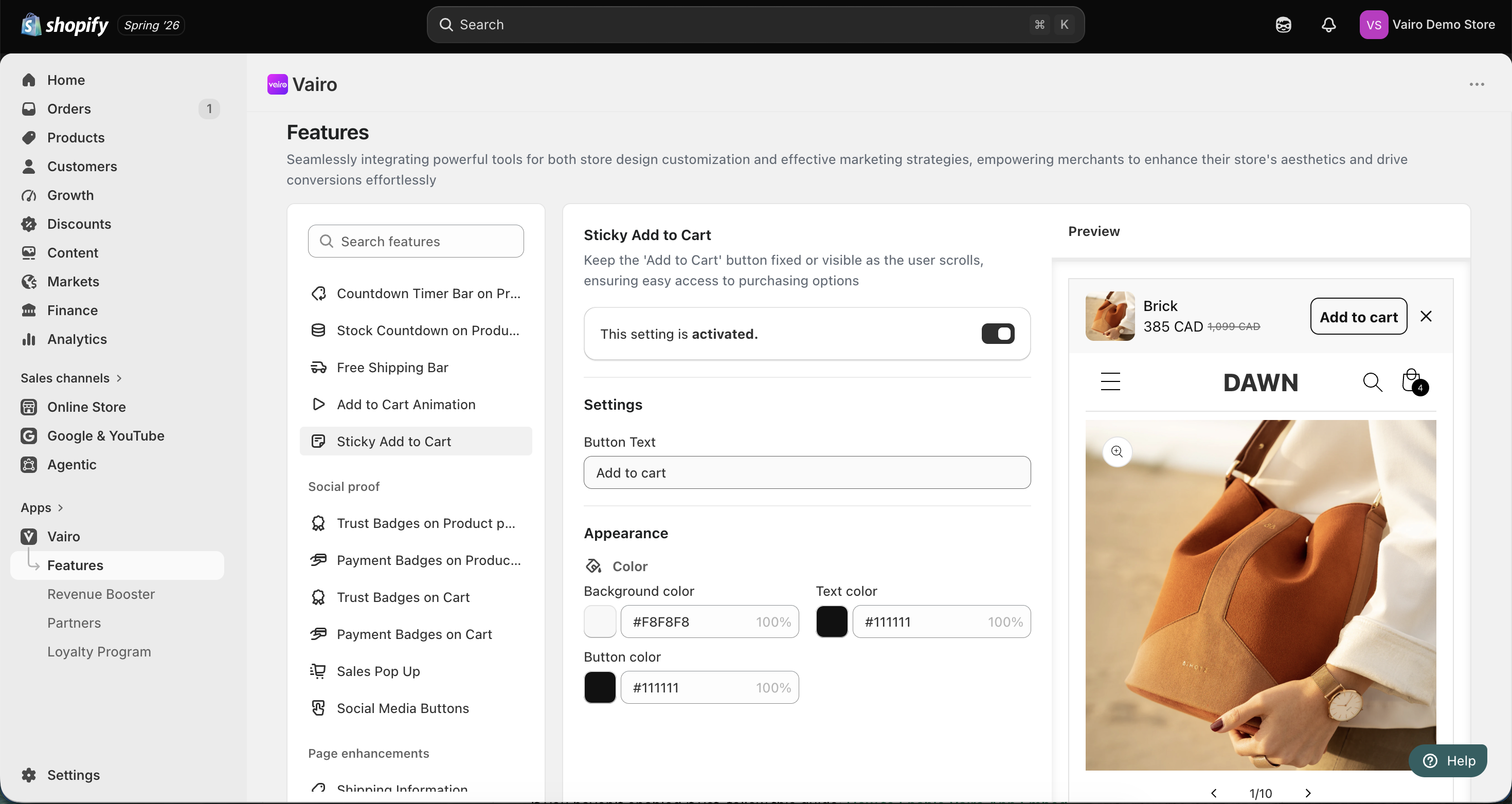
Step 3: Configure the Sticky Add to Cart Settings
Settings
Customize the button text, such as:
- Add to Cart
- Buy Now
- Or any custom text you prefer
Appearance
Customize the colors of the Sticky Add to Cart bar to match your store's branding.
After completing the setup, visit your storefront to make sure the Sticky Add to Cart bar displays correctly.
Need help?
If you need further assistance, feel free to contact our support team at [email protected].