How to Set Up Trust Badges on Cart
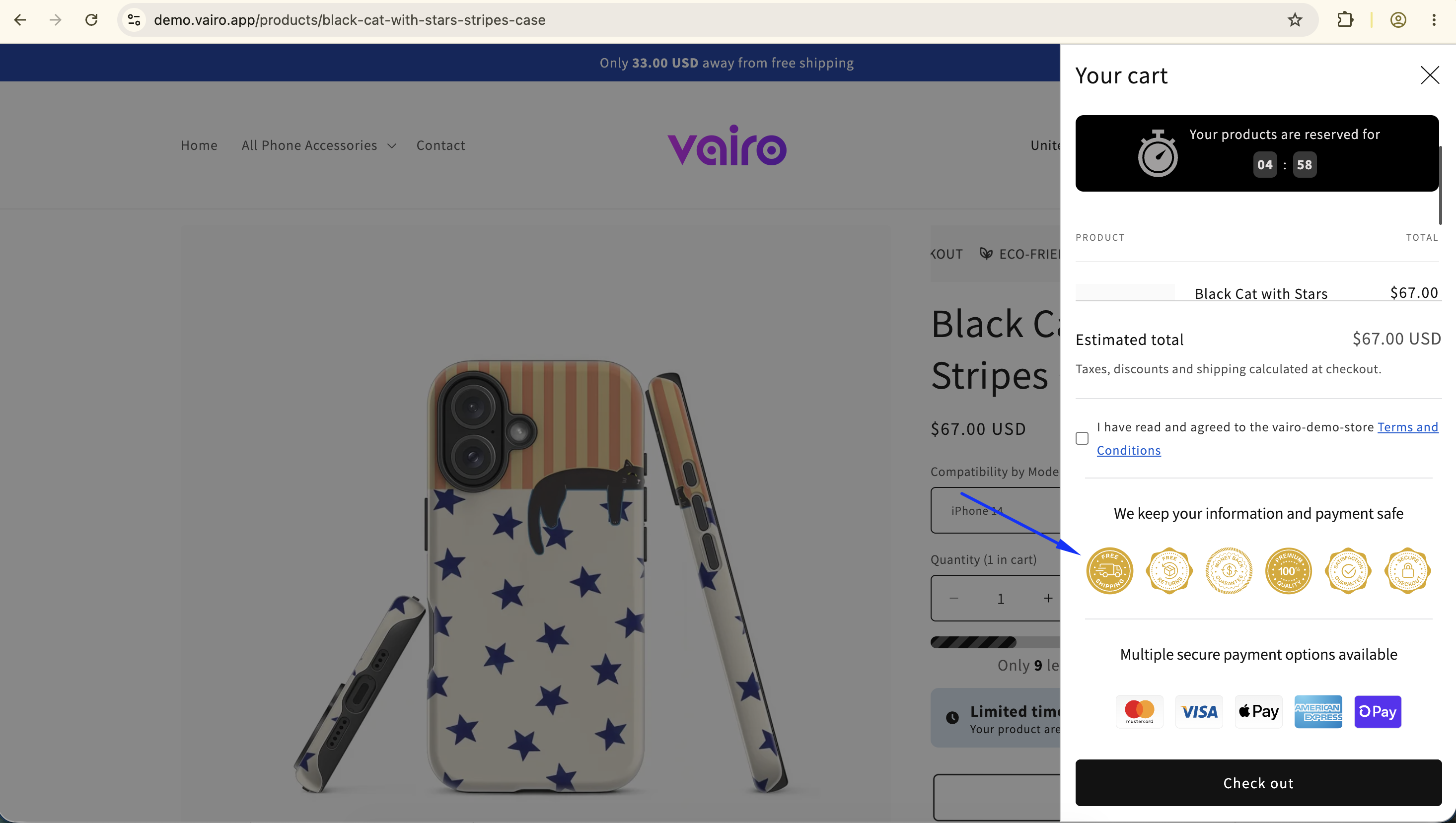
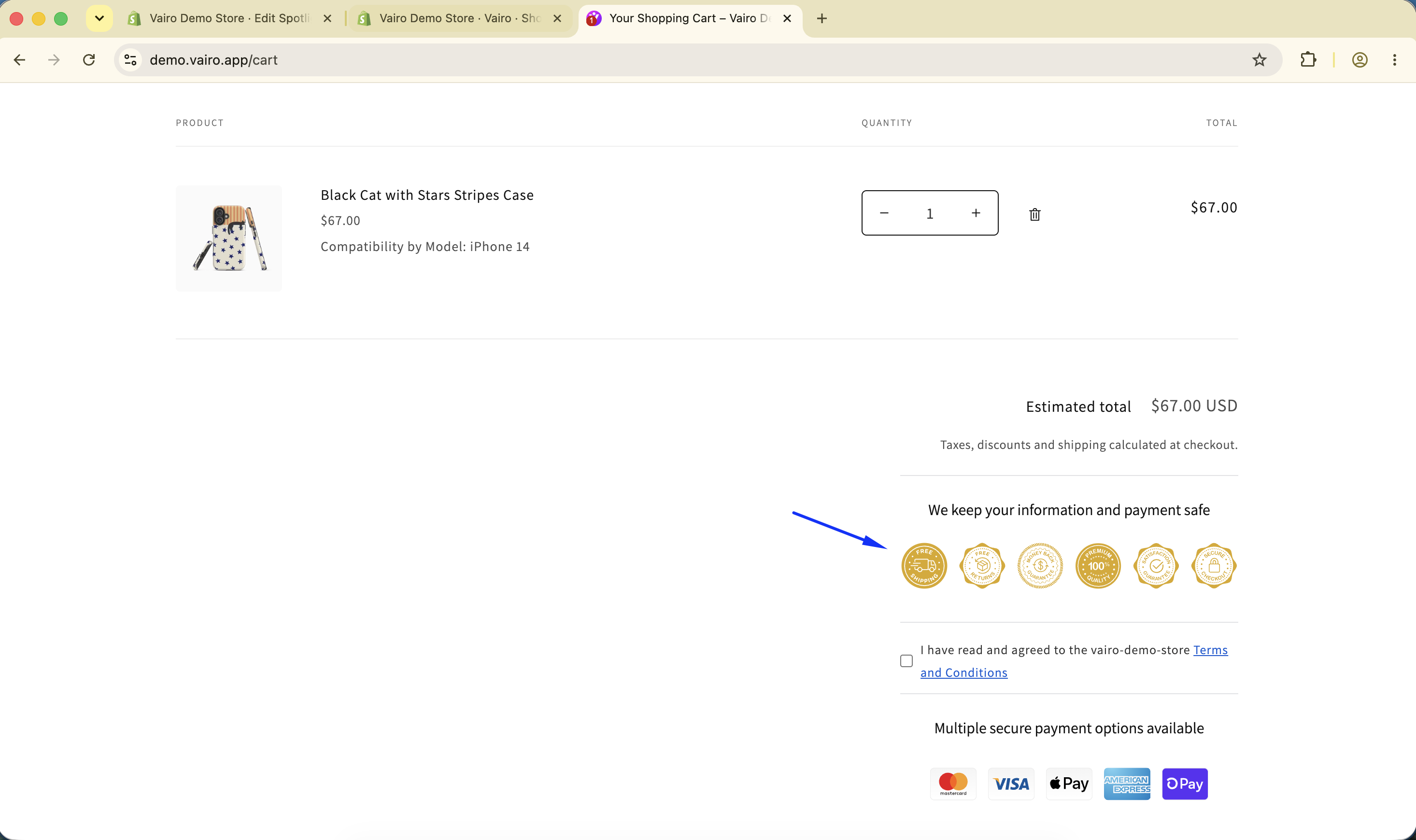
Trust Badges help build customer confidence by displaying security, quality, and service guarantees on the cart page. They reassure shoppers before checkout and can help improve conversion rates.
How Trust Badges Appear on the Cart Page
How to Set It Up
Step 1: Enable Vairo App Embed
- Make sure the Vairo App Embed is enabled before setting up Trust Badges.
- If you haven't enabled it yet, follow this guide: How to Enable Vairo App Embed.
Step 2: Activate Trust Badges on Cart
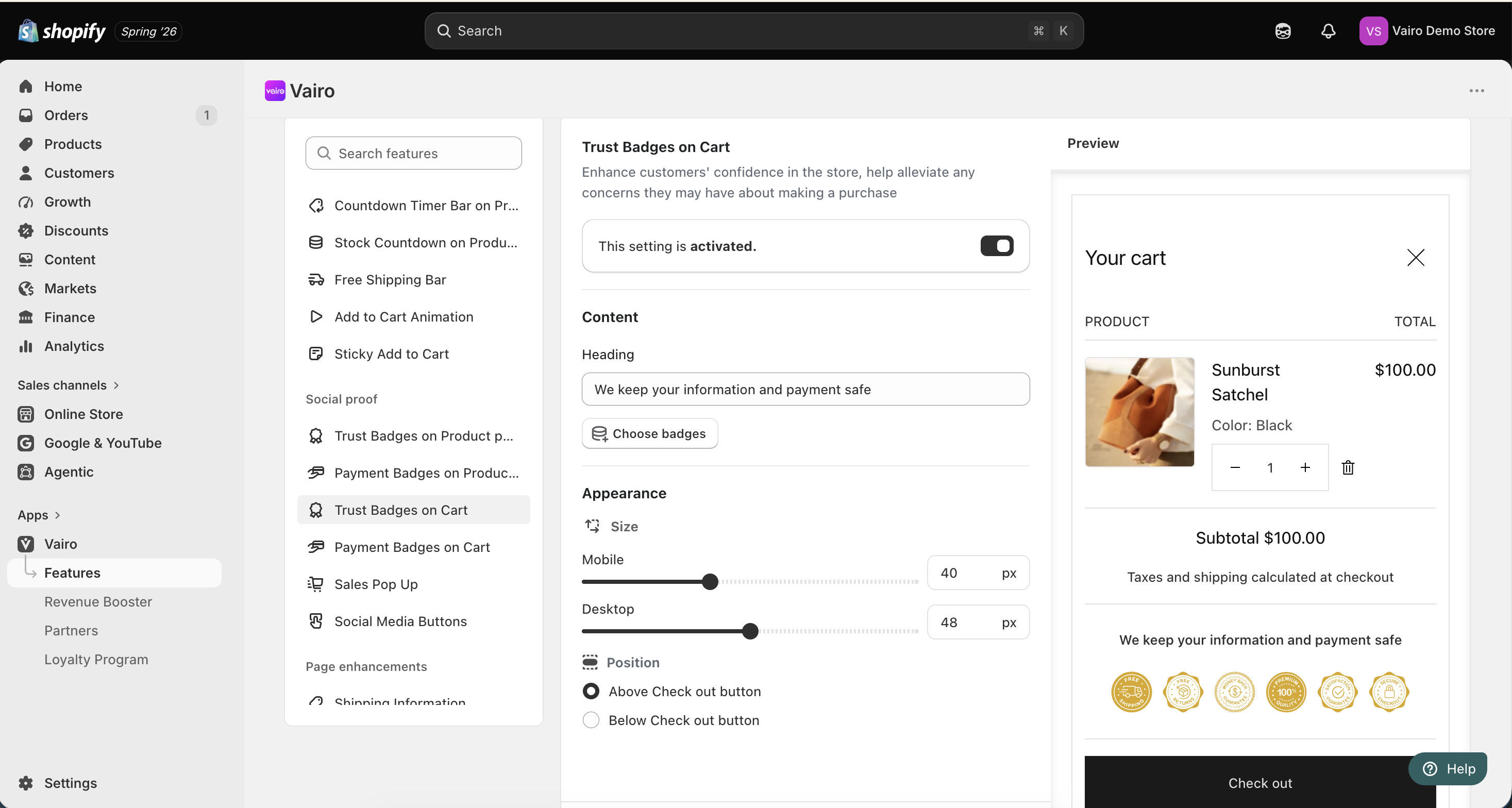
- Open Vairo in your Shopify Admin.
- Navigate to Social proof > Trust Badges on Cart.
- Click Activate feature and Save.
Step 3: Configure the Trust Badges
In the Settings section, you can:
- Enter a heading for the Trust Badges section.
- Choose the badges you want to display.
- Drag and reorder the badges to change their display order.
Step 4: Customize the Trust Badges Appearance
In the Appearance section, you can:
- Adjust the badge size for both desktop and mobile devices.
- Choose where the Trust Badges appear:
- Above the Checkout button
- Below the Checkout button
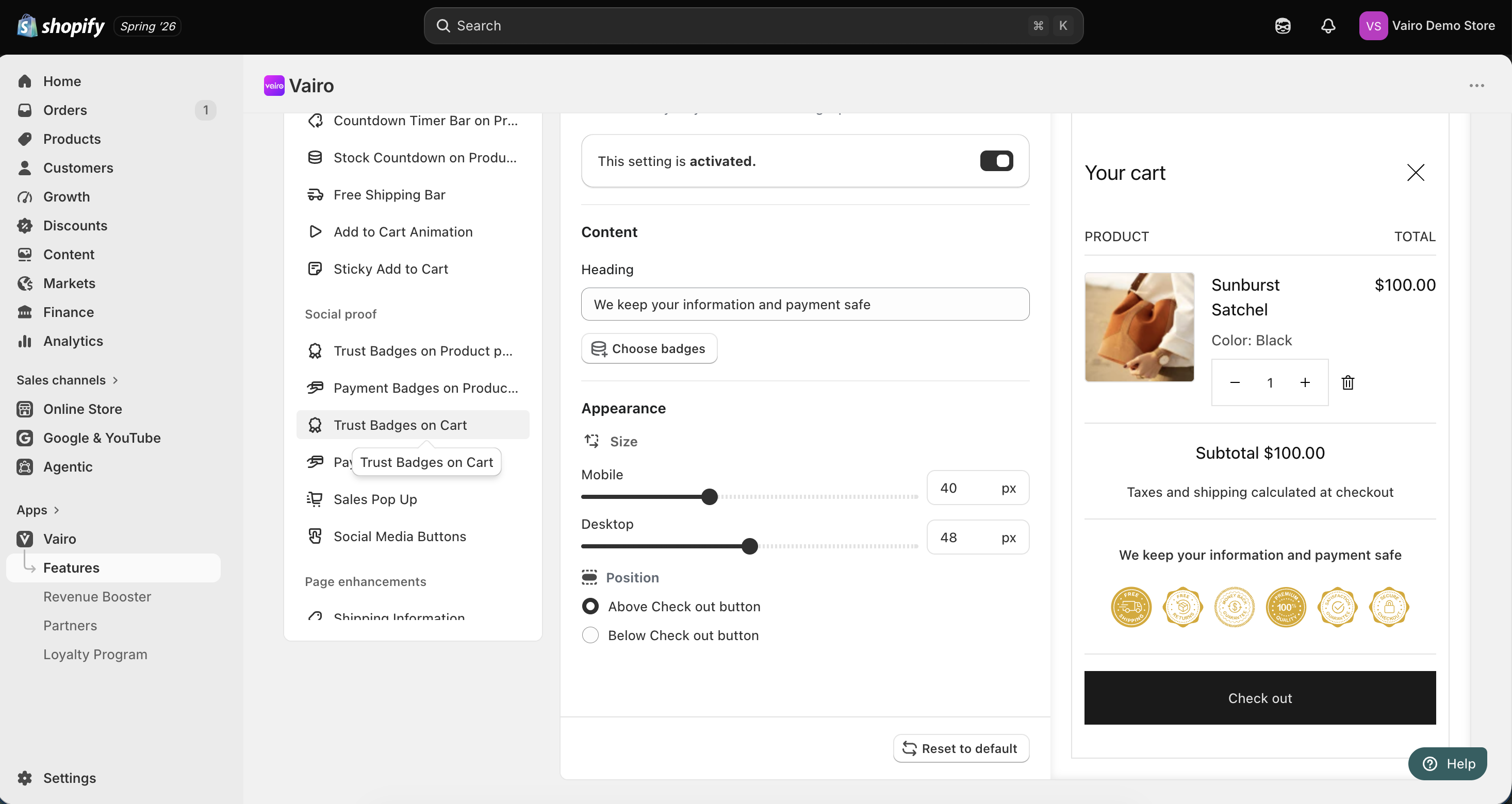
After completing the setup, visit your storefront to make sure the Trust Badges display correctly.
Need help?
If you need further assistance, feel free to contact our support team at [email protected].