How to Set Up Trust Badges on Product Page
Trust Badges highlight key assurances, such as secure checkout, satisfaction guarantees, and premium quality, helping build trust and reassure customers before they make a purchase.
How Trust Badges Appear on Your Storefront
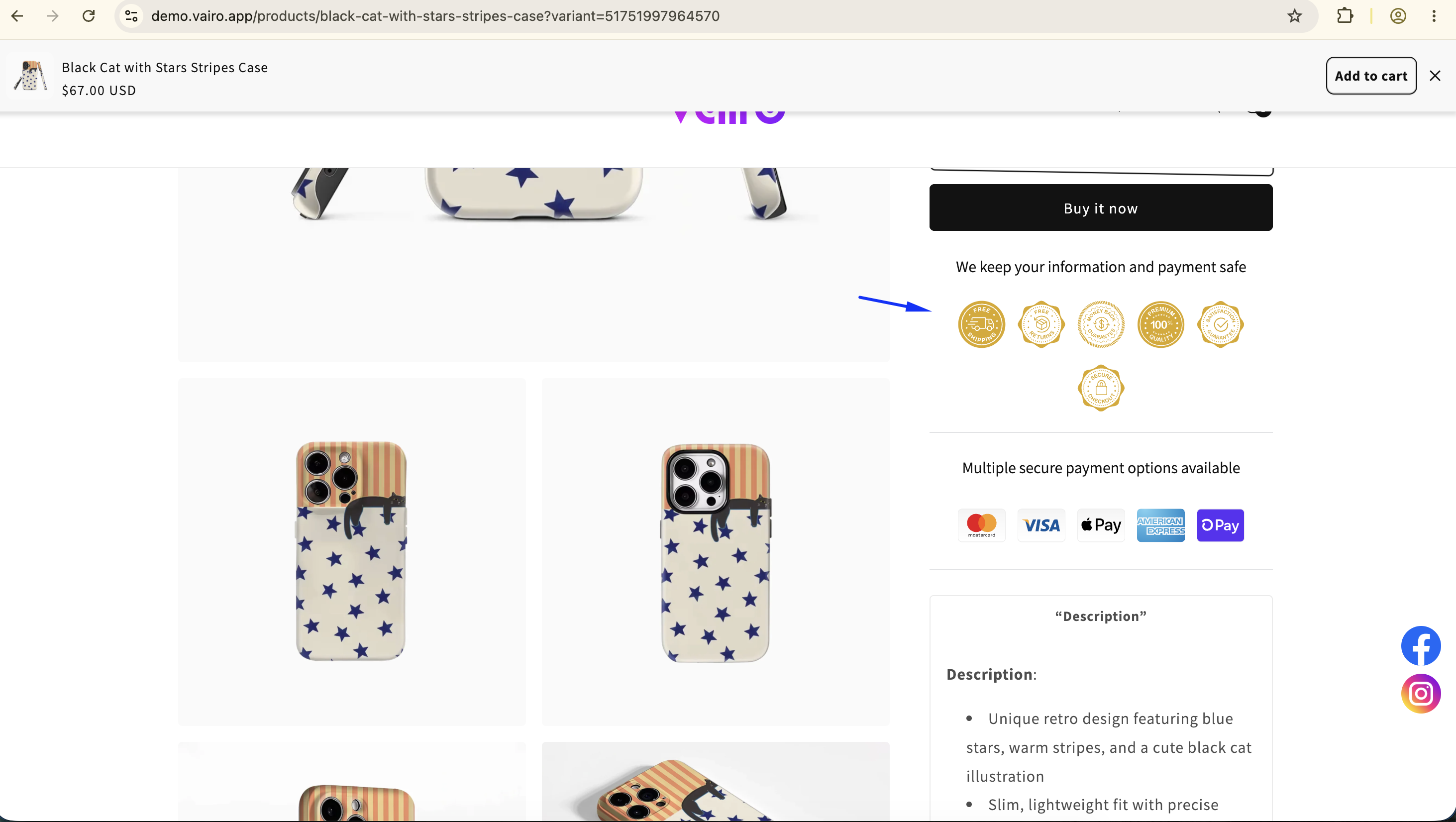
How to Set It Up
Step 1: Add the Trust Badges Widget
- Open Vairo in your Shopify Admin.
- Navigate to Social proof > Trust Badges on Product Page.
- Click Add widget.
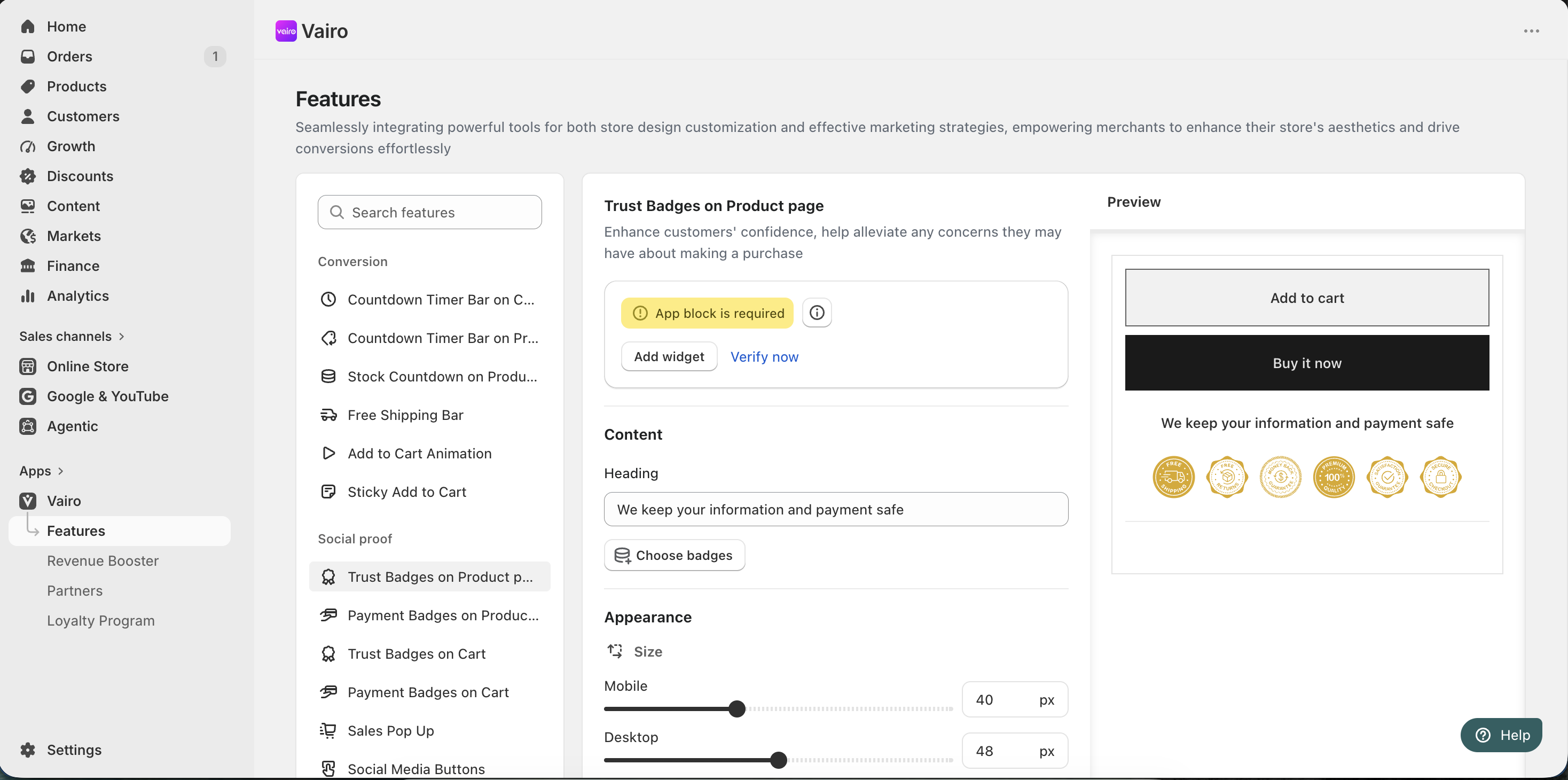
You will be redirected to the Shopify Theme Editor.
- Drag and place the Trust Badges app block in your preferred position.
- Click Save.
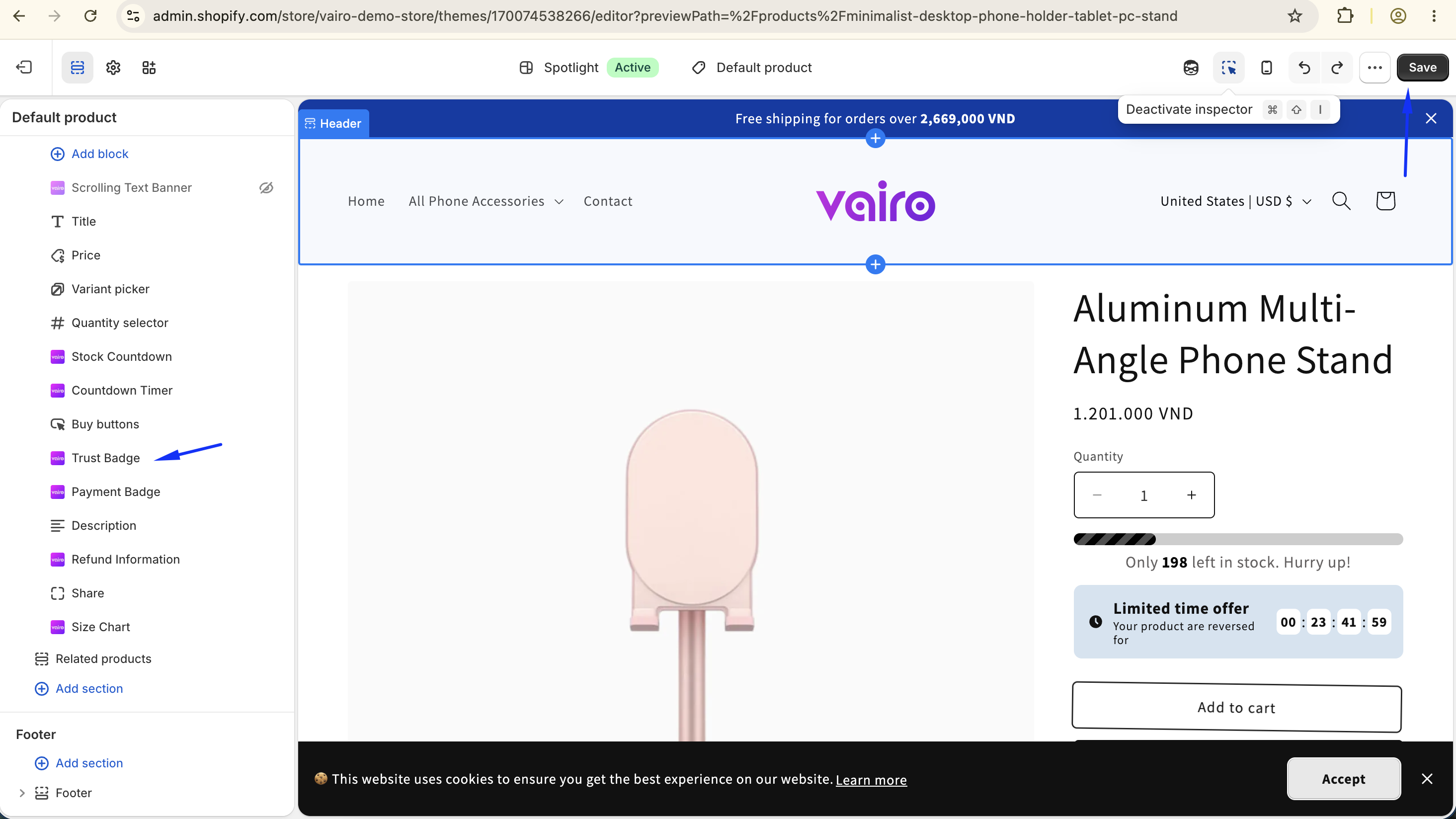
- Return to the app and click Verify now to confirm the app block was added successfully.
Step 2: Configure the Trust Badges Content
In the Content section, you can:
- Enter a heading for the Trust Badges section.
- Click Choose badges to select the badges you want to display.
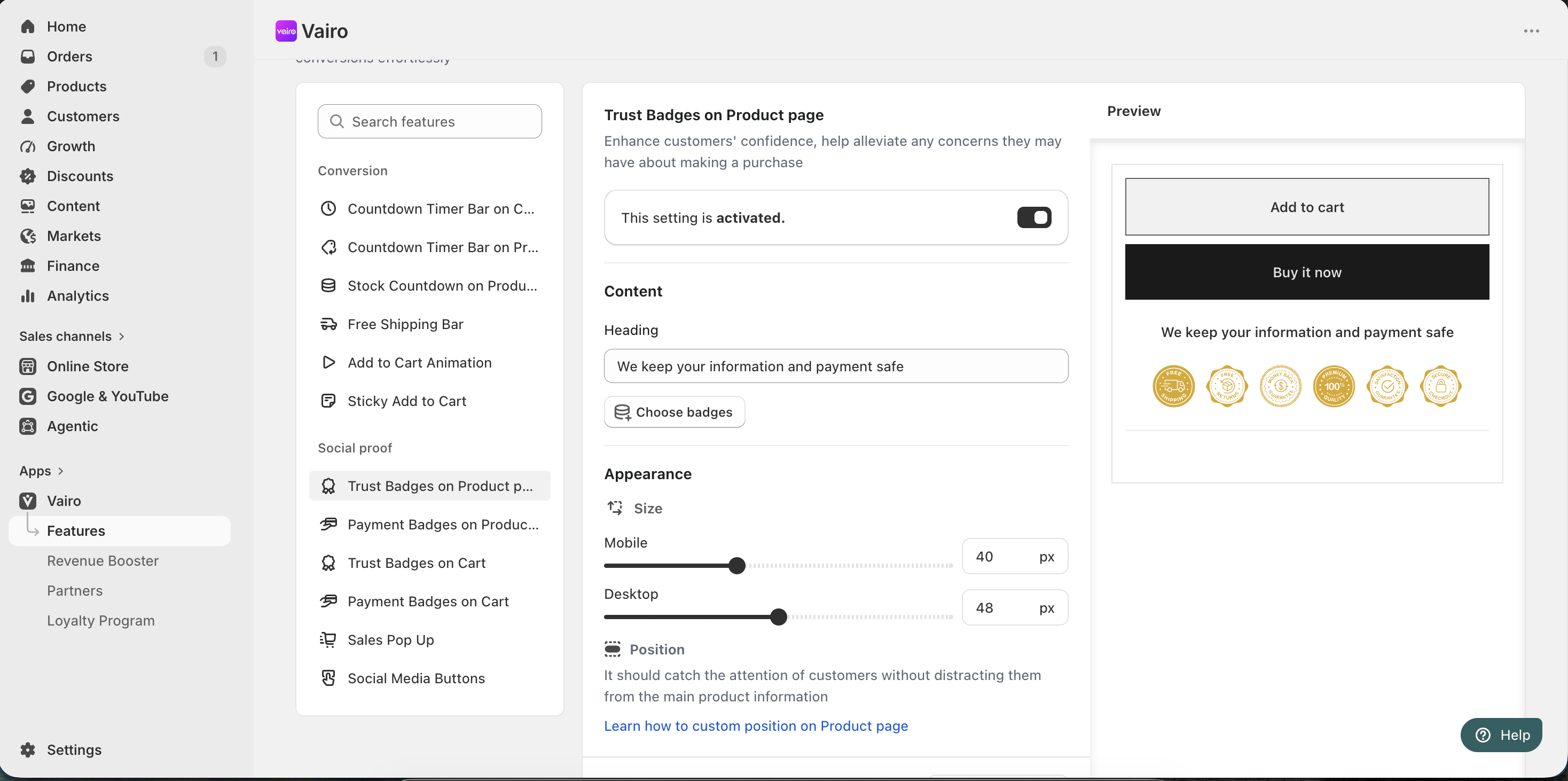
Step 3: Customize the Trust Badges Appearance
In the Appearance section, you can:
- Adjust the badge size for:
- Mobile
- Desktop
After completing the setup, visit your storefront to make sure the Trust Badges display correctly.
Need help?
If you need further assistance, feel free to contact our support team at [email protected].