How to Check Whether Your Theme Is Online Store 2.0
Vairo is compatible with Shopify Online Store 2.0 themes only.
If you're unsure whether your store is using an Online Store 2.0 theme or a Vintage (1.0) theme, follow the steps below to check.
How to Check Your Theme Version
Step 1: Open your theme code
- Go to your Shopify Admin.
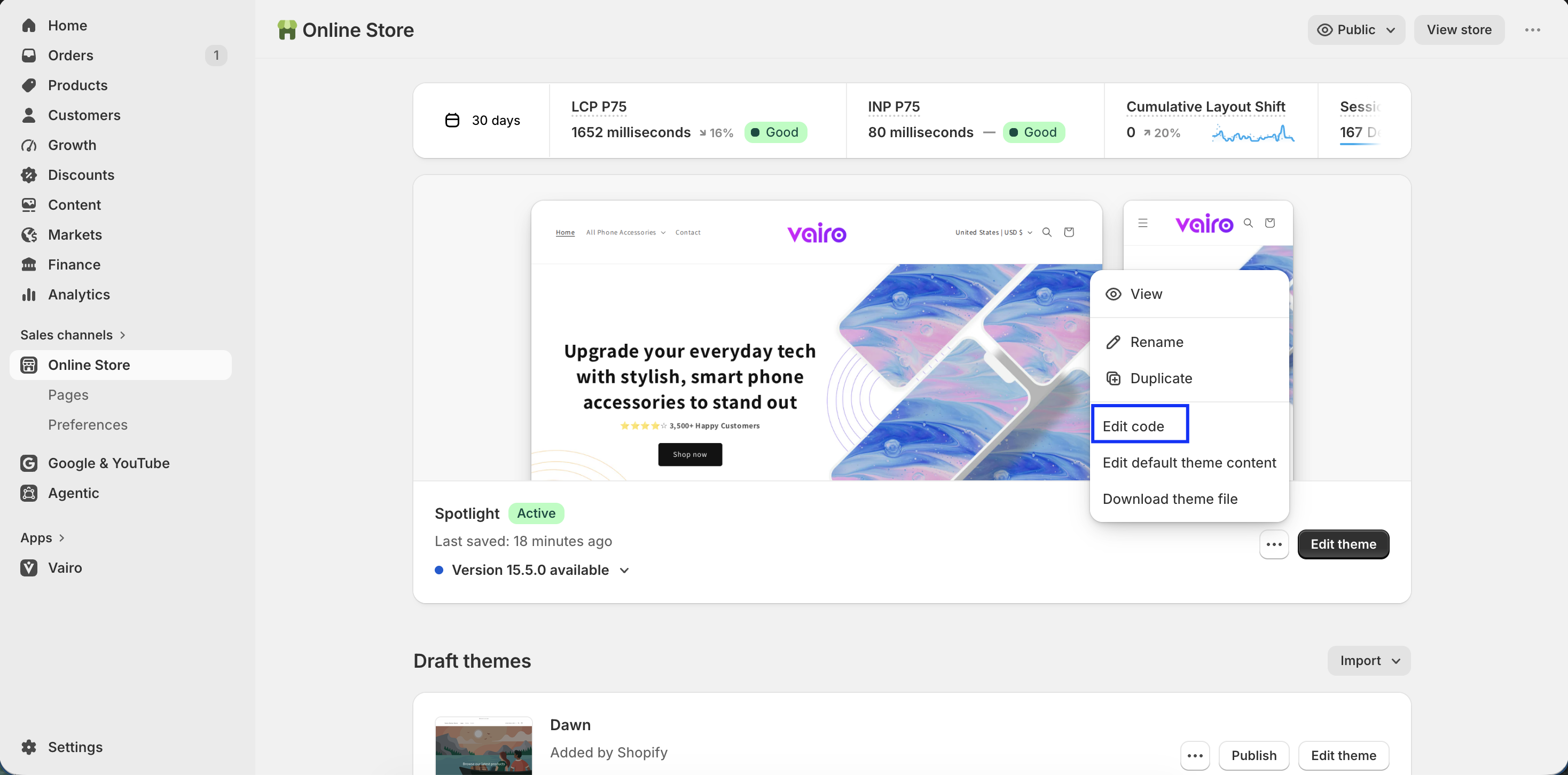
- Navigate to Online Store > Themes.
- Locate your published theme.
- Click the ⋯ (three-dot) menu next to the theme and select Edit code.
Step 2: Check the Templates folder
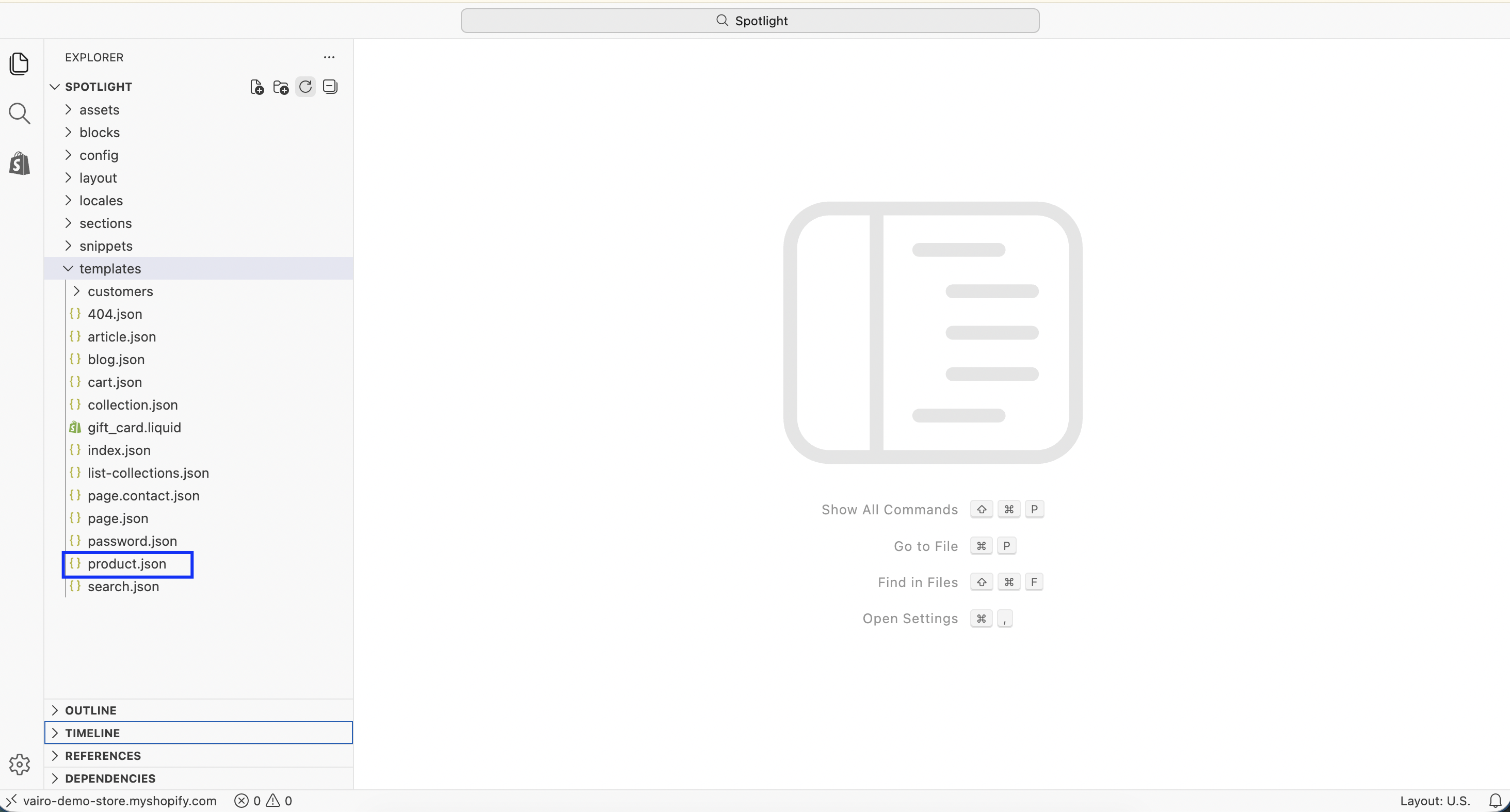
In the Templates folder, look for a file named product.json.
How to Interpret the Result
If product.json exists
Your theme is an Online Store 2.0 theme and is fully compatible with Vairo.
If product.json does not exist
Your theme is a Vintage (1.0) theme.
Unfortunately, Vintage (1.0) themes are not supported by Vairo.
Why Theme Version Matters
Vairo relies on Shopify's Theme App Extension framework, which is only available for Online Store 2.0 themes.
Due to Shopify platform limitations, Vairo cannot function properly on Vintage (1.0) themes.
If your store is currently using a Vintage (1.0) theme, we recommend upgrading to an Online Store 2.0 theme to access all Vairo features.
Need help?
If you need further assistance, feel free to contact our support team at [email protected].